

The two jobs a facilitator does
The x402 docs describe the facilitator as an optional but recommended service that verifies payment payloads from clients and settles payments on the blockchain for servers [1]. That is the whole job description. It does not set your price, serve your content, or decide who gets access. Your server still makes those calls.
Verification comes first. The buyer's payment payload has to match the requirements your server declared, such as the amount, the asset, and the network. The facilitator checks that match and returns a verdict. Settlement comes second. The facilitator submits the validated payment to the blockchain, waits for confirmation, and returns the result so your server can decide whether to hand over the resource [1].
One point matters for trust. The docs say the facilitator does not hold funds or act as a custodian. It acts on signed payloads that the client produced [1]. The project's own principles go further: no payment scheme may let the facilitator or the resource server move funds except as the client intended [3]. So an x402 facilitator is a relay with a checklist, not a bank.
What happens on the wire, step by step
Here is the flow in plain words. A client asks your server for a resource. Your server replies with the HTTP 402 Payment Required status and a header listing what it accepts [1]. The client picks an option, signs a payment payload, and repeats the request with that payload in a payment header [1].
Now your server has a choice. It can verify the payload locally, or it can POST the payload and the payment details to the facilitator's /verify endpoint. If the verdict is valid, your server does the work. Next it settles, either by talking to a blockchain directly or by POSTing to the facilitator's /settle endpoint [1].
On /settle, the facilitator submits the transaction, waits for confirmation, and returns an execution response. Your server then answers the client with a 200 OK and the resource, plus a header carrying the settlement result [1]. If anything failed, the client gets a 402 with error details instead [1]. Notice that your server only ever speaks plain HTTP to the facilitator. All the chain work stays on the other side of that call.
Why sellers use one instead of running a node
The docs give three reasons. A facilitator cuts operational complexity because servers do not talk to blockchain nodes directly. It keeps verification and settlement flows consistent across services. And it speeds up integration, since a seller can accept payments with little chain-specific code [1]. Doing it locally is possible, but the docs say a facilitator speeds adoption and helps ensure correct protocol behavior [1].
Think about what self-settling asks of you. You need RPC access for each network you accept. You need a funded wallet to pay gas. You need logic for confirmations, retries, and edge cases. The x402 project lists ease of use as a goal, with details like gas and RPC pushed into the facilitator so the client and the resource server do not need to think about them [3].
There is also a quiet benefit for agent builders. Your buyers are often software with no human to click through errors. An x402 facilitator returns verification and settlement results to the server, which lets the server decide whether to fulfill the client's request [1]. If you want the protocol basics first, see our explainer on the x402 protocol.
Coinbase and Circle, as documented
The x402 docs say multiple facilitators are live in production, with networks such as Base, Solana, Polygon, and Avalanche named [1]. They also give a clear warning. The public x402.org facilitator is meant for development and testnet work, and you should not assume it is the default path for production mainnet routes [1][3].
Circle's page describes its Facilitator Service as a hosted x402 facilitator for sellers. You point your HTTP API at it and accept USDC without running a relayer, funding a gas wallet, or building your own sanctions screening. Circle verifies each buyer-signed authorization and submits the USDC transfer on chain [2]. It settles USDC on Arc, Base, and Polygon PoS through the EIP-3009 exact scheme, and it supports the upto scheme for usage-based pricing [2].
Circle also notes it needs an API key to settle, though a keyless trial exists [2]. Its disclaimer says the service does not hold or transmit user funds, and that Base and Polygon PoS settlements carry reorganization risk while Arc settlements are final [2]. For the signing standard underneath, see our EIP-3009 explainer.
When settlement gets messy
Real networks time out. The docs cover this with a state called settlement_pending. If a transaction is broadcast but its confirmation cannot be established, for example after an RPC error, the facilitator returns this non-terminal status instead of a failure, because the transaction may still confirm. The response carries the transaction hash so callers can check the chain before retrying [1].
The resource server retries settlement once on that status. On retry, the facilitator looks up the broadcast hash in a PendingSettlementStore and reconciles against the existing transaction instead of sending a second one, which prevents double settlement [1]. If you run several facilitator replicas, the docs say to back that store with something shared like Redis, because the in-memory default only works when the retry lands on the same process [1].
Timeouts need care too. Calls from the resource server to the facilitator have a default deadline of 90 seconds, and a timeout during settle is an indeterminate outcome: the facilitator may have finished even though you heard nothing [1]. On Solana, the docs describe a duplicate-settlement race and a built-in cache that rejects repeats [1]. The lesson: treat pending as pending, never as paid or failed. For a field view, read our notes on x402 in production.
Choosing: public, hosted, or your own
The docs reduce the decision to three paths. For a fast testnet or local quickstart, use the public x402.org facilitator. For a managed production deployment, use a provider that supports your target network. For full control, run your own facilitator or self-facilitate inside your resource server [1].
Match the path to your risk. A hobby API on testnet can use the public one. A paid endpoint on mainnet needs a provider that lists your network, since the public one is not meant for that [1]. If you handle large flows or have strict compliance needs, running your own gives control, at the cost of owning RPCs, gas, and the retry logic described above.
Network support is the practical filter. Circle's service covers Arc, Base, and Polygon PoS for USDC [2], and the docs say other production facilitators cover further networks [1]. Check that your chosen asset, scheme, and network are all supported together, because clients and facilitators must support each scheme and network pair [3]. If you are building the seller side, our guide to monetizing an API with x402 walks through the setup.
Where SpendTheBits fits
SpendTheBits is a fully non-custodial wallet, and its x402 support follows the same split the protocol describes: the buyer signs, a facilitator settles, and the seller is paid. Any SpendTheBits @handle can sell a resource over x402, and buyers, whether people or AI agents, pay in USDC to the seller's own address. Buyers pay in USDC, settled through a facilitator, to the seller's own address. Buyers pay in USDC, settled through Coinbase's CDP facilitator, to the seller's own address. Settlement runs through Coinbase's CDP facilitator for most networks, and through Circle's Facilitator Service for Arc.
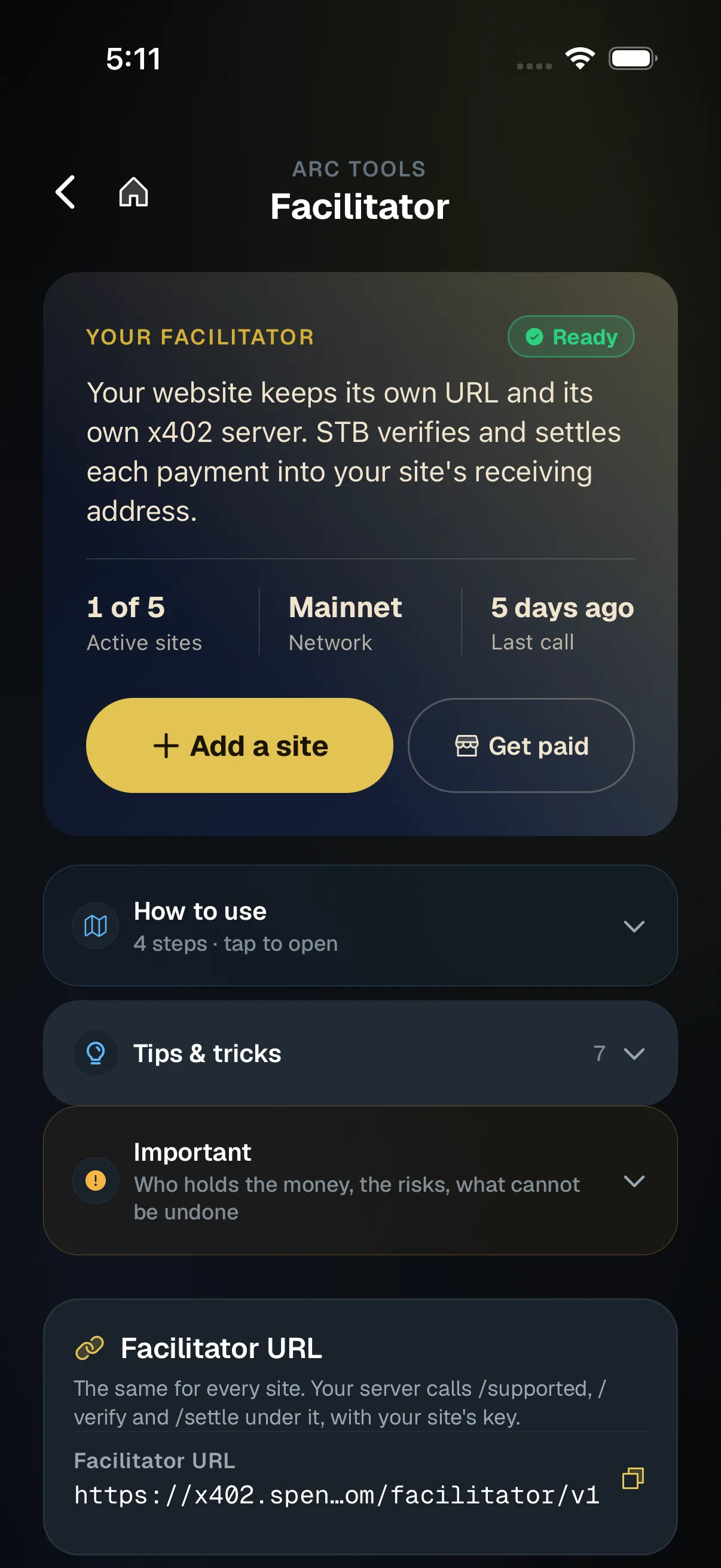
The facilitator is also something sites can use directly. A site can point a stock x402 server at the SpendTheBits facilitator and see each payment in x402 Books, with refunds handled through Shield. We are not claiming that this facilitator has settled real payments on Arc. The claim is narrower: the stock server setup works as described, and the books and refund tools sit on top.
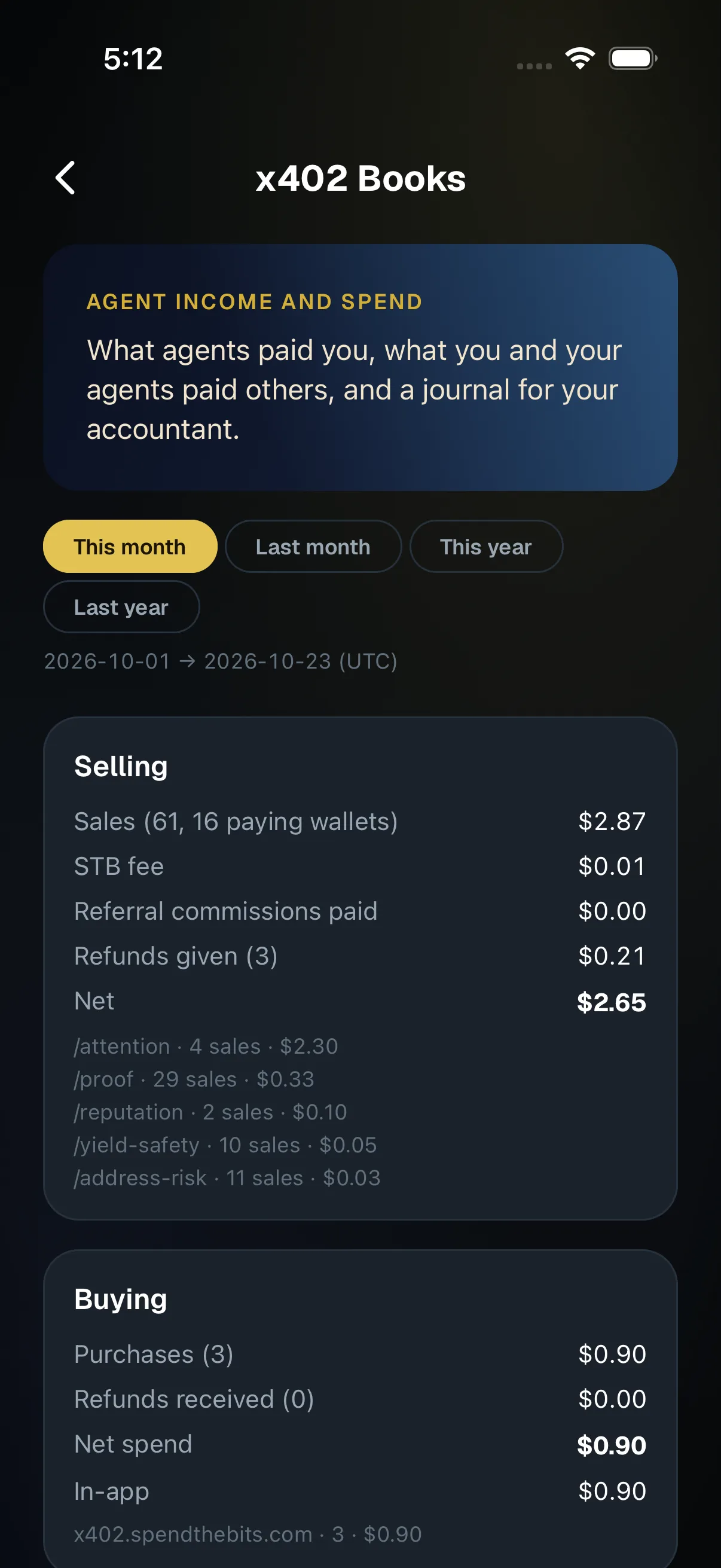
Those tools matter once money moves. x402 Books shows a seller's sales, fees, refunds, and net income for a period, built from public records, and exports a journal for QuickBooks, Xero, or CSV. See the books page for the accounting side, and our agents page for how agent budgets work. Shield refunds are never automatic: the seller approves each one with a transfer signed on their own phone.
In the app · 3 steps
Point an x402 site at the STB facilitator
Facilitator lives under Arc tools. Here is the path from adding a site to seeing payments in your books.
Add your site
Open Arc tools, then Facilitator, and tap Add a site. Copy the key and the receiving address.
Sell to agents
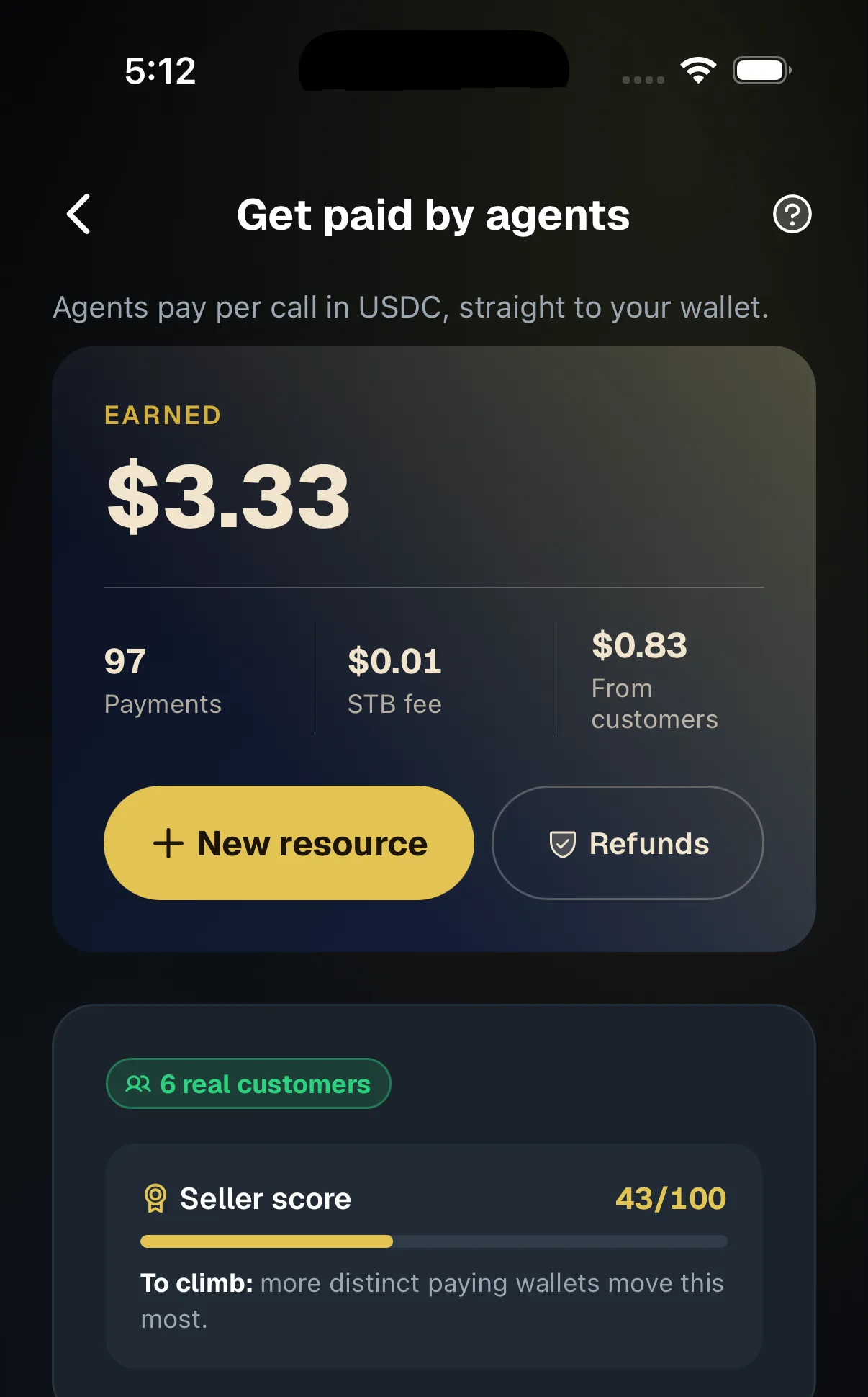
Payments to your paid endpoints show up alongside the rest of your agent income.
Read the books
x402 Books shows sales, fees, refunds and net for any period, with a journal for your accountant.
Hold your own keys, keep the yield, skip the middleman.
SpendTheBits is a fully non-custodial wallet for 13 chains, free on iOS and Android.