
A Lightning address looks like an email address and does the job of a reusable invoice. When someone pays it, their wallet asks a server for a fresh invoice, and the payment settles into your own Lightning wallet. The keys stay on your phone; the server only hands out invoices for your wallet, which is why it keeps working when the app is closed.
The address is set up for you the first time you open Lightning on an up-to-date version of the app. If you have not claimed an @handle yet, claim one under Profile → Handle first: the handle is the part before the @.
Find and share your Lightning address
- 1
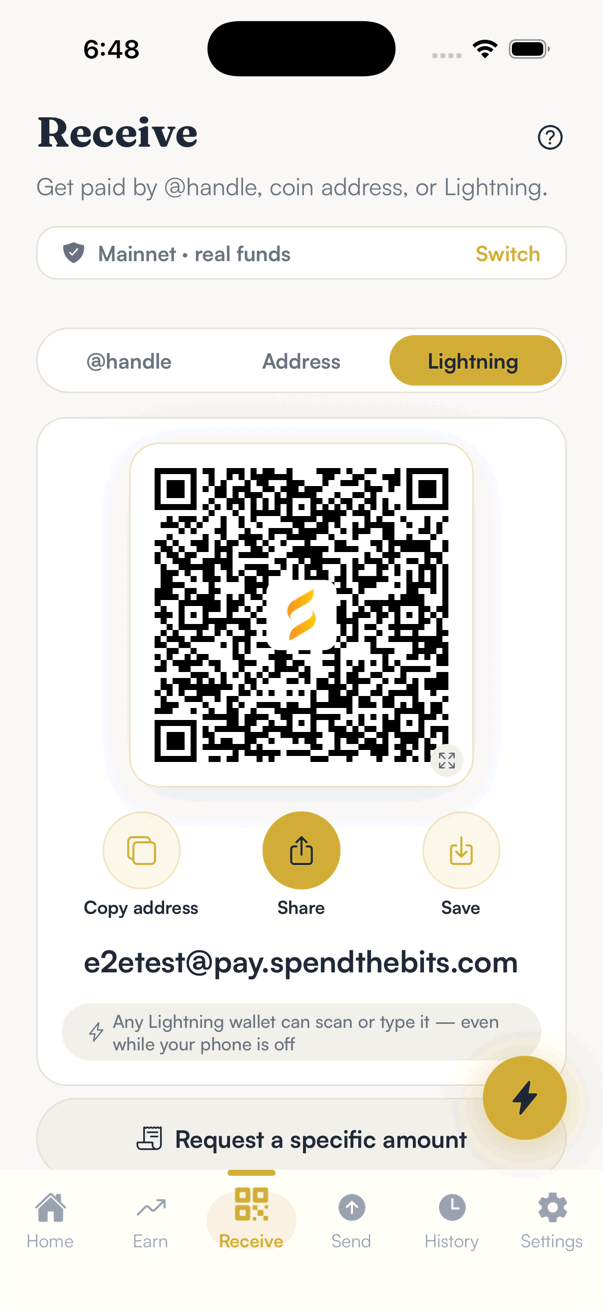
Tap Receive, then choose Lightning at the top.
You will see your address as a QR code, with Copy address, Share and Save underneath and the address itself spelled out below.
- 2
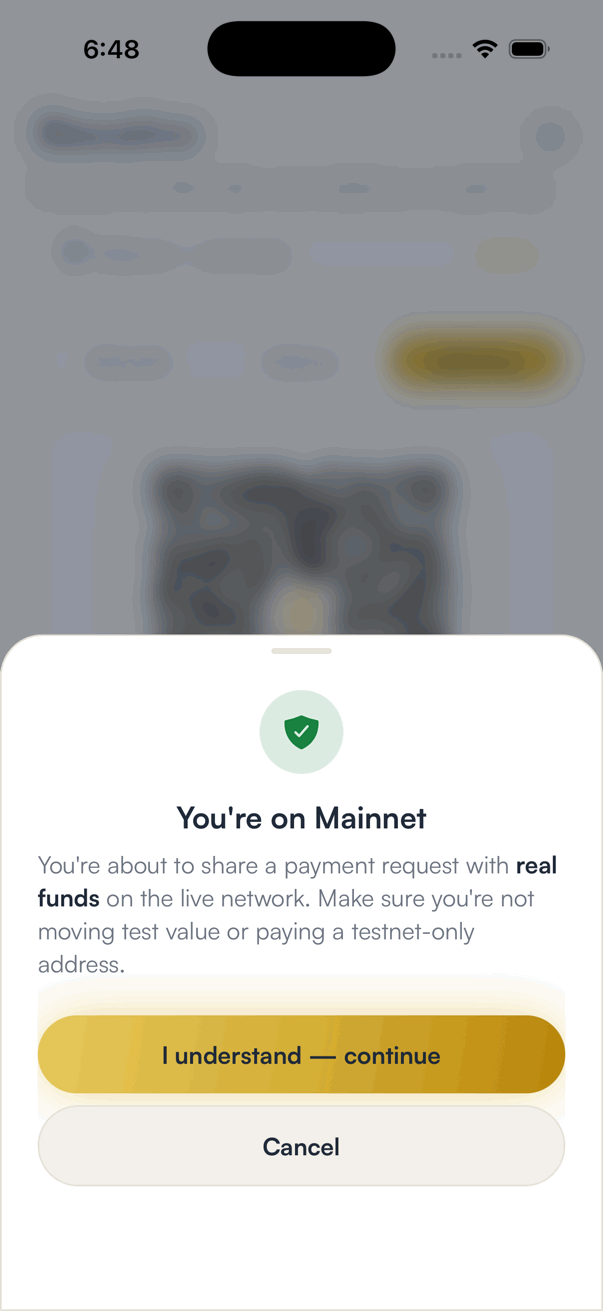
Tap Share and confirm you are sharing on Mainnet.
The app shows a one-time reminder that this is the live network with real funds, so a test address is never passed off as a real one.
- 3
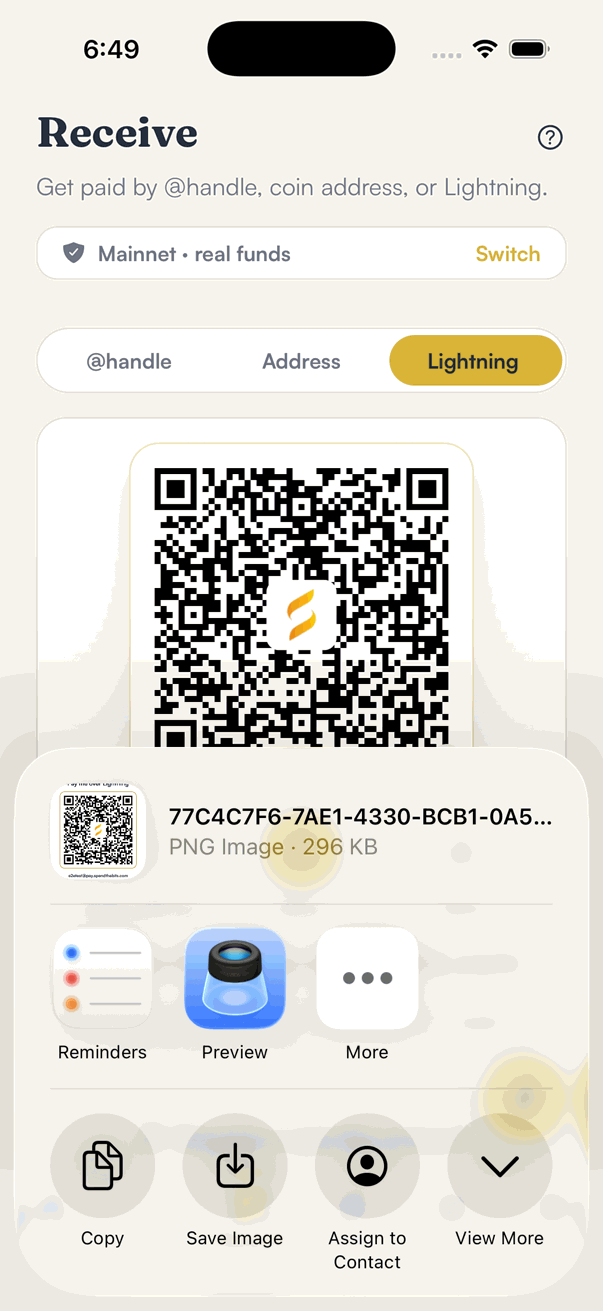
Pick where to send it.
Share sends the QR as an image with your address printed under it, so it works in a chat, an email or a printed sign. Save puts the same image in your photos.
- 4
Or tap Copy address and paste it wherever you want to be paid.
It pastes as plain text in the form handle@pay.spendthebits.com.
Good to know
- Lightning runs on Bitcoin mainnet only. On a testnet profile the Lightning tab tells you it is unavailable.
- Receiving over Lightning carries no SpendTheBits fee.
- Payments to your address land in your Lightning balance, which is separate from your on-chain Bitcoin balance. You can move between the two from the Lightning screen.
- The app has to be allowed to use Face ID (or your passcode) to open your Lightning wallet the first time. If Lightning never finishes starting, check Settings → STB Superapp → Face ID.
Frequently asked
No. Invoices for your address are issued by a hosted Lightning address server on your wallet's behalf, so a payment settles while the app is closed. The keys never leave your phone.
The address is permanent and lets the payer choose the amount. An invoice is single-use, has a fixed amount and expires. Use the address for tips and repeat payments, and an invoice when you need an exact amount.
No. An address can only be used to pay you. Share it as freely as an email address.
Update the app and open Lightning once, and make sure you have claimed an @handle under Profile → Handle. The address appears as soon as it is registered.
Get SpendTheBits
A fully non-custodial wallet for 13 chains, free on iOS and Android. Your keys never leave your phone.