
Use an invoice when the amount matters: splitting a bill, charging for a service, or selling something at a set price. For tips and open-ended payments, your Lightning address is simpler, because the payer picks the amount.
Request an exact amount
- 1
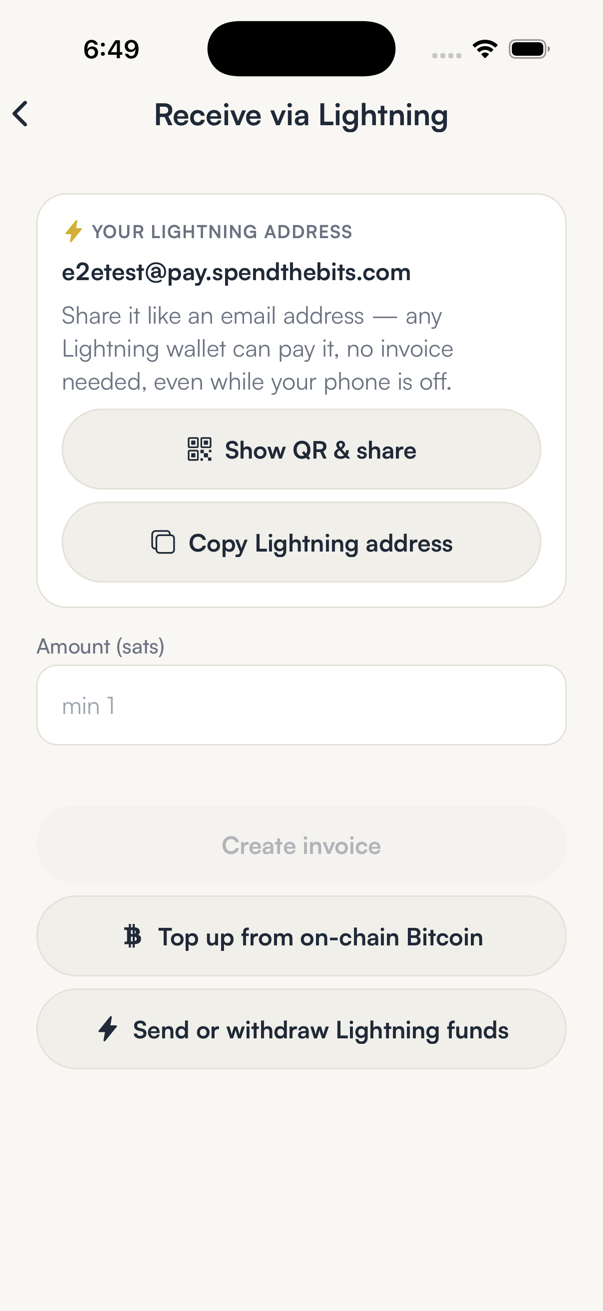
On Receive → Lightning, tap Request a specific amount.
The Receive via Lightning screen opens. Your Lightning address stays at the top if you would rather share that instead.
- 2
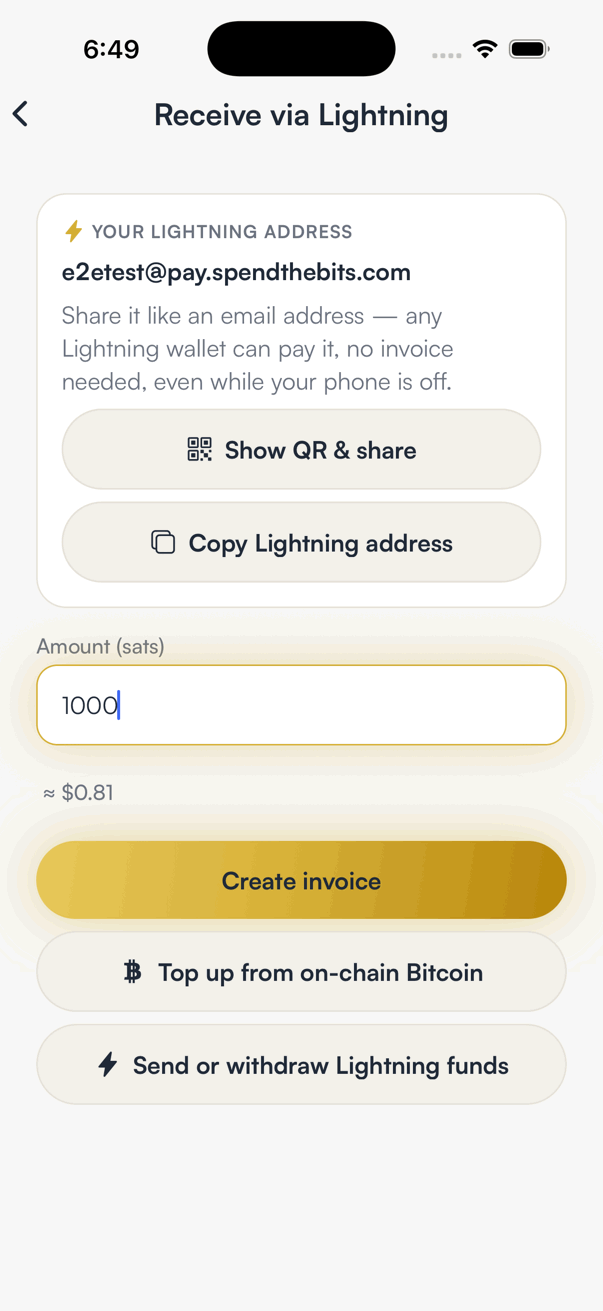
Enter the amount in sats.
The app shows the dollar value underneath as you type. There are 100,000,000 sats in one bitcoin, so 1,000 sats is 0.00001 BTC.
- 3
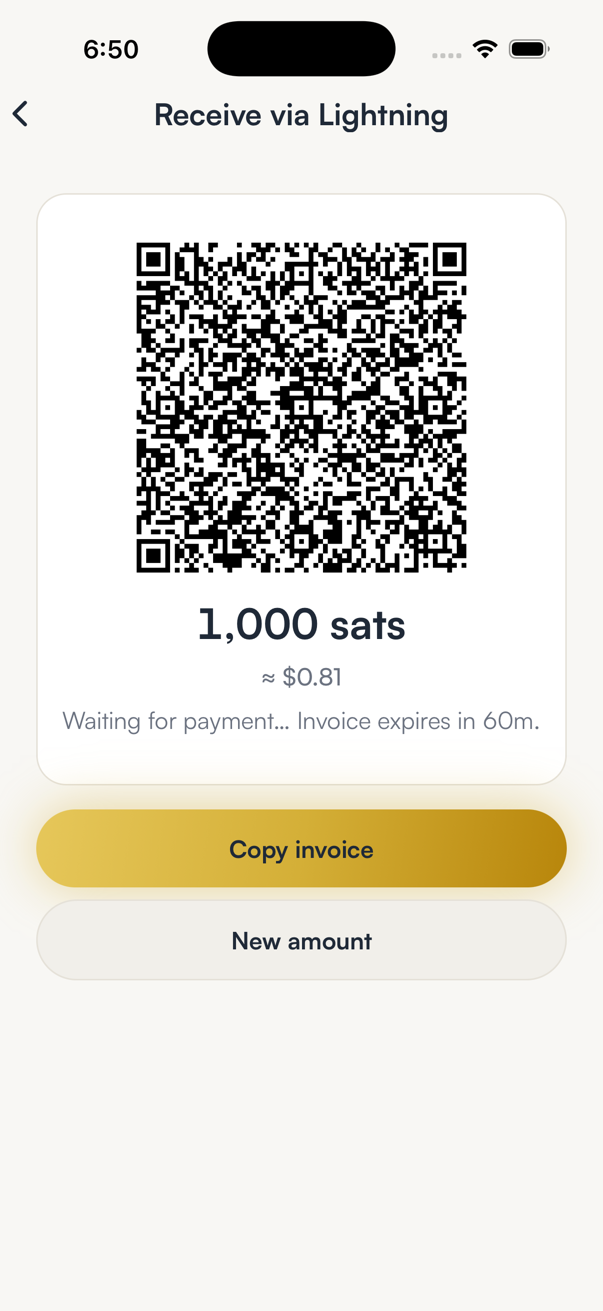
Tap Create invoice, then share the QR or tap Copy invoice.
The screen says Waiting for payment and counts down to the expiry. When the payment lands you see it confirmed here and in Activity.
- 4
Tap New amount to start over if the payer needs a different figure.
Good to know
- An invoice can be paid once. Create a new one for each payment.
- If the invoice expires before it is paid, nothing is lost; create a fresh one.
- Receiving over Lightning carries no SpendTheBits fee.
Frequently asked
A sat (satoshi) is the smallest unit of bitcoin. 100,000,000 sats make one bitcoin, and Lightning amounts are usually quoted in sats.
A Lightning invoice commits to an amount and a payment secret for a limited window. Expiring stale invoices stops someone paying an old request at an old price.
No. A fixed-amount invoice settles only for that amount. If the amount should be open, share your Lightning address instead.
Get SpendTheBits
A fully non-custodial wallet for 13 chains, free on iOS and Android. Your keys never leave your phone.