
An agent never gets your wallet. It gets a separate key made on your phone and only the USDC you put at its address, so the most it can ever spend is its own balance. One tap on Kill switch pulls whatever is left back to you.
A purchase usually takes about five minutes: the payment returns at once, the USDC is bridged to the card provider in under a minute, and the provider then issues the card. Your agent should poll the status link rather than pay again.
If the agent asks for more than a limit allows, or for a brand you did not list, the store does not simply refuse. With "Ask me first" on, your phone gets a notification and one tap plus Face ID approves the card, paid from your own wallet. One tap declines it.
Set it up
- 1
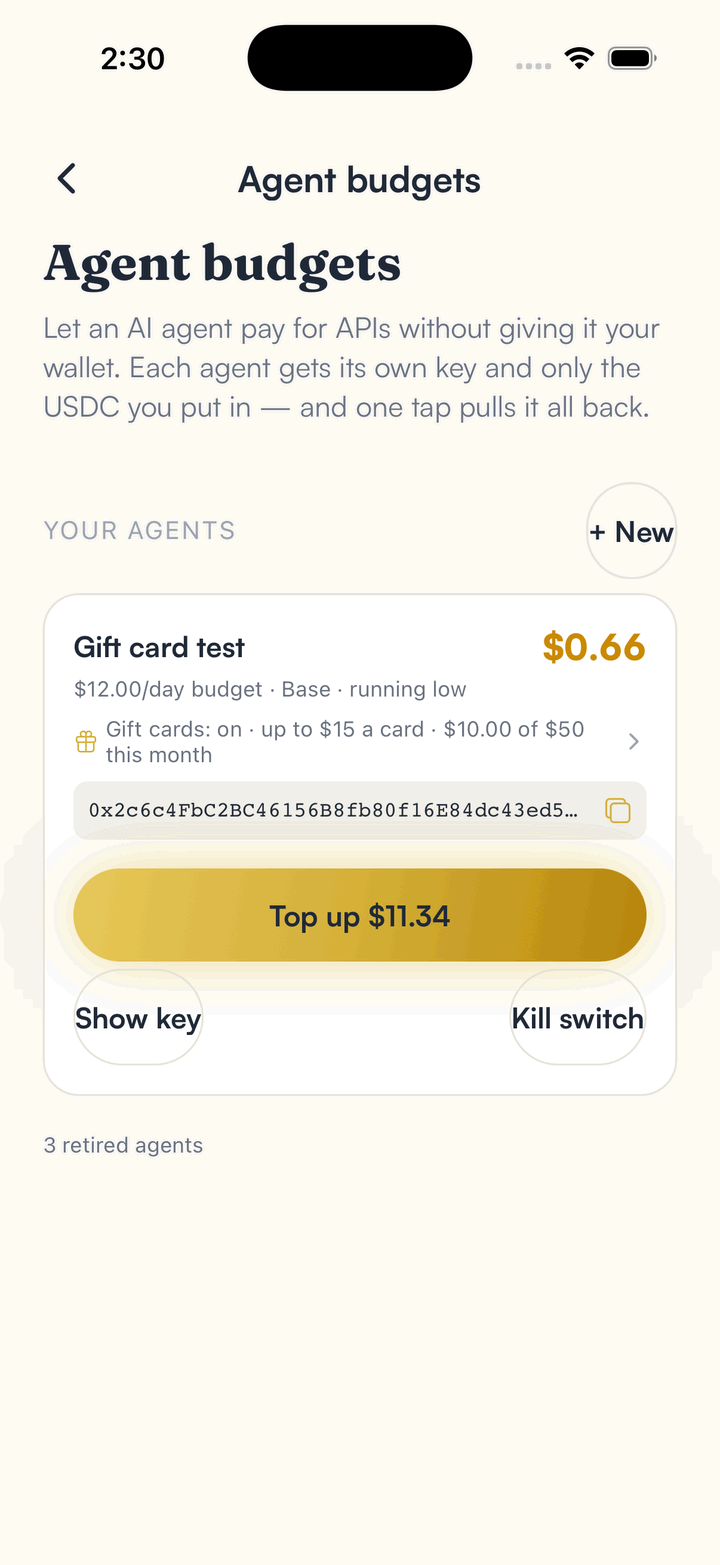
Open Agent budgets and create an agent.
The key is made on this device and is never sent to us. It is not your recovery phrase.
- 2
Tap Top up and send the agent USDC.
The app sends it to the agent's chain (Base) and bridges it for you if your USDC is on another chain.
- 3
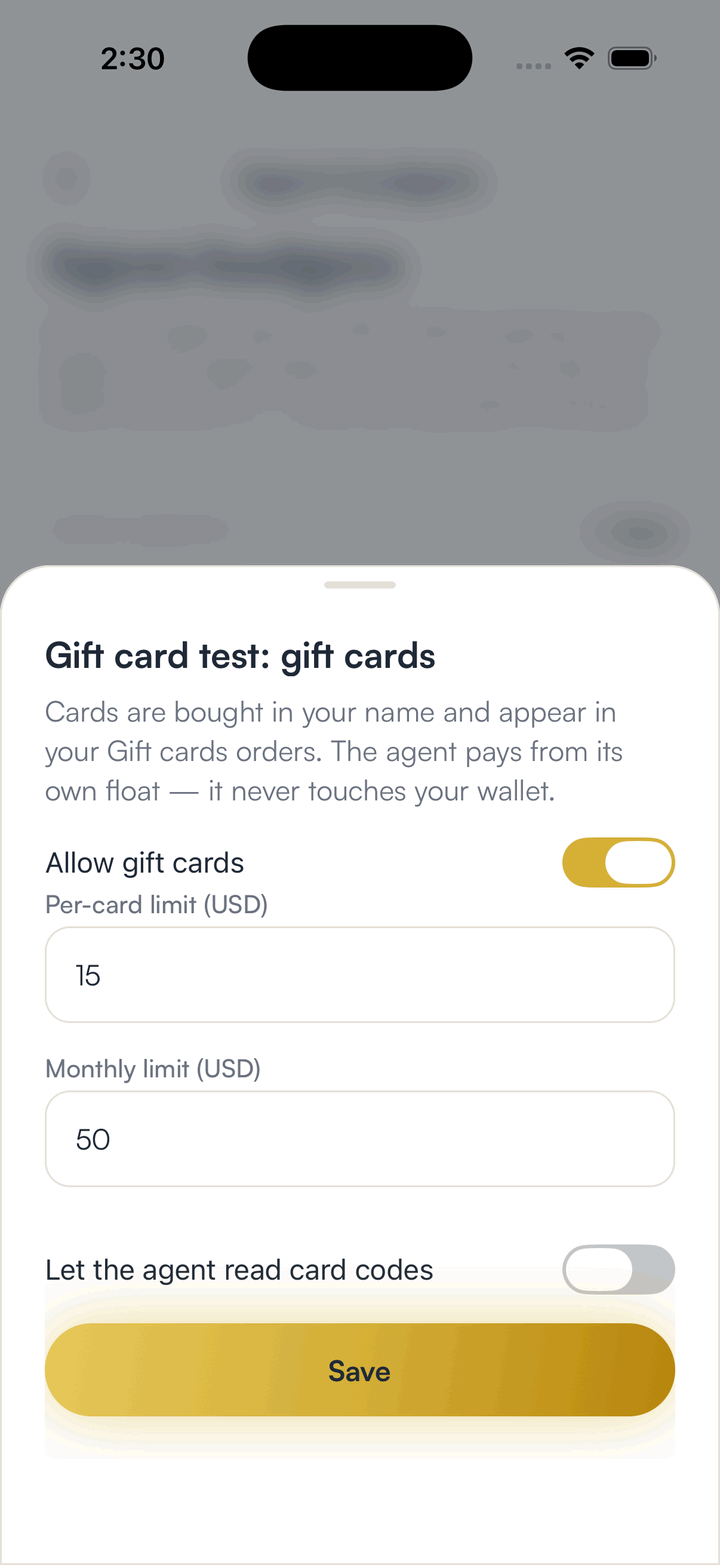
Tap the Gift cards line on the agent, switch it on, and set a per-card limit and a monthly limit.
Leave "Let the agent read card codes" off unless you need it. A card code is money in plain text, and an agent's logs are not a safe place for it.
- 4
Optionally pick the brands the agent may buy, and leave "Ask me first" on.
With no brands picked, any brand in the store is allowed. Ask me first turns an over-limit or unlisted-brand request into a notification you approve or decline with one tap, instead of a refusal the agent has to work around.
- 5
Tap Show key and put the line in your agent's environment.
Any stock x402 client works. Raise the client's own per-payment cap above the card's price: many clients refuse anything over a very small amount by default.
- 6
Point the agent at a card URL, let it pay the quote, pay the order, and poll the status link.
A card URL looks like x402.spendthebits.com/@stb/cards/usa/amazon-com/25/. The quote fee is a few cents and locks the provider's exact price; the order is paid to a per-order contract. A refusal is free: if the agent is over a limit or gift cards are off, the store says so before any payment settles.
- 7
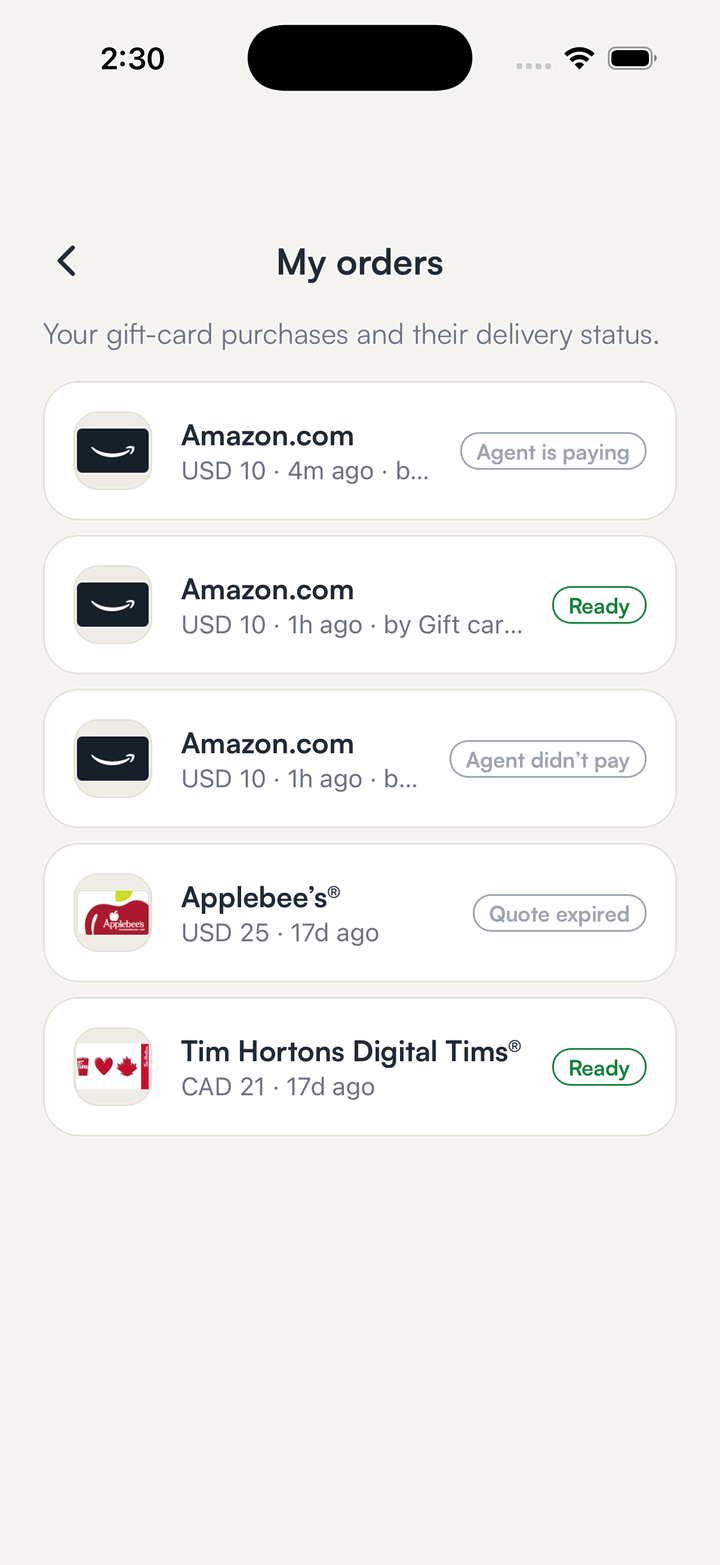
Open Gift cards, then My orders, to find the card.
Cards your agent bought are tagged with its name. Reveal the code behind your device unlock.
Good to know
- Cards are for the USA and Canada, and are always issued to you. An agent cannot put a different name on a card.
- If the price expires before the money can be forwarded, the contract refunds the agent in full. Nobody has to ask.
- The card provider's price includes its own spread, which is a larger share of a small card. Compare the total with the face value.
- No agent of your own? Ask Copilot for a card. It finds the real product, fills in the amount, and you review and sign.
- Add ?ref=@handle to a card URL to credit a referrer. The referrer's share of the service fee goes to an ownerless, immutable split contract, which pays it out on-chain once about $0.50 has built up or 24 hours have passed, whichever comes first.
Frequently asked
No. It can only spend the USDC at its own address, and never more than your per-card and monthly limits. Your main wallet is out of its reach.
With Ask me first on, you get a notification naming the agent, the brand, the amount and the total. One tap and Face ID approves it and the card is paid from your wallet; one tap declines it. If you do nothing, the quote expires and nothing is charged. With Ask me first off, the agent is simply refused.
No. The agent pays a per-order contract that can only forward the USDC to the card provider, pay the quoted service fee, or refund the payer after the deadline.
Not unless you allow it for that agent. By default the card only appears in your orders. If you do allow it, the code is served once from a separate reveal link and never again from the status link.
It should poll the status link, not pay again. A repeated payment for the same order is answered, never charged twice.
Get SpendTheBits
A fully non-custodial wallet for 13 chains, free on iOS and Android. Your keys never leave your phone.