

The Threat of Excessive Agency in Autonomous Wallets
Many crypto users want easy ways to send funds without complex network layouts. A chatbot seems like a great way to turn normal speech into on-chain steps. This approach makes blockchain technology far more accessible to the public. However, giving an algorithm the ability to sign transactions is highly risky. If a system can act on its own, one small code bug could wipe out your cash. We must avoid this outcome at all costs.
This core vulnerability is what security professionals call excessive agency [1]. This occurs when coders let a bot use tools or talk to other systems [1]. The decision of which tools to use is often delegated to an automated agent [1]. When an app gives a model too much freedom, it becomes very unsafe [1]. One small mistake or odd chat prompt can make the bot do great harm [1].
To keep assets safe, the SpendTheBits AI prepares transactions but can never sign them. If a bot can pay for things on its own, it might empty your account [1][3]. The SpendTheBits design keeps keys safe. Key signing stays local on your phone. By separating these two components, you establish a reliable safety barrier. This simple boundary keeps your funds secure even if the model acts in unexpected ways.
Analyzing Prompt Injections and Unexpected Model Behaviors
To see the real risk, we must look at how modern large language models read inputs. Prompt injection is a primary security risk [2]. It occurs when unexpected inputs alter model behavior in unintended ways [2]. These inputs do not need to be readable by humans to cause a big security crash [2]. An attacker can intentionally craft a malicious string to exploit the system [2]. These are classified as direct prompt injections [2].
A model might also find hidden prompts when it reads outside web pages [2]. It can also find them in document repositories [2]. These indirect prompt injections can alter model outputs [2]. For example, a bot might read an email that tells it to spy on your inbox [1]. It could then forward your sensitive information straight to an attacker [1].
Security teams recommend a few ways to stop tricks that try to fool AI models [2]. The most effective strategy is to enforce strict privilege controls and restrict model access [2]. You must require a human to approve high-risk actions before they run [1][2]. For decentralized wallets, signing an on-chain transfer is the ultimate high-risk action. A secure wallet architecture must never give private keys to an AI crypto assistant.
Keeping Private Keys Offline to Achieve True Self-Custody
To learn how to protect your assets, read our what is a non-custodial wallet guide. If a smart bot can send payments, your keys must sit where that bot can find them. This usually means storing private keys on a cloud database or a centralized server. If you store your keys online, you break the rules of safety and risk your funds.
In the same way, a software wallet must keep your recovery phrase off cloud systems.
SpendTheBits is fully non-custodial. The seed phrase and private keys are generated and stored only on the user's device. Every transaction is signed on the device. The SpendTheBits backend stores public data only. It prepares unsigned transaction context and relays device-signed transactions. It never sees a seed or private key and cannot move, freeze or reverse user funds. This setup makes sure that your digital assets stay in your own hands.
The SpendTheBits Propose and Dispose Architecture
We designed our application around a simple security rule. The AI proposes and the physical device disposes. Our AI Copilot checks balances and plans steps, but you always sign on the device. The SpendTheBits Copilot can read balances and prepare an action, but it cannot sign or send. The device signs only after the user confirms. This ensures that you get smart financial advice without giving up control.
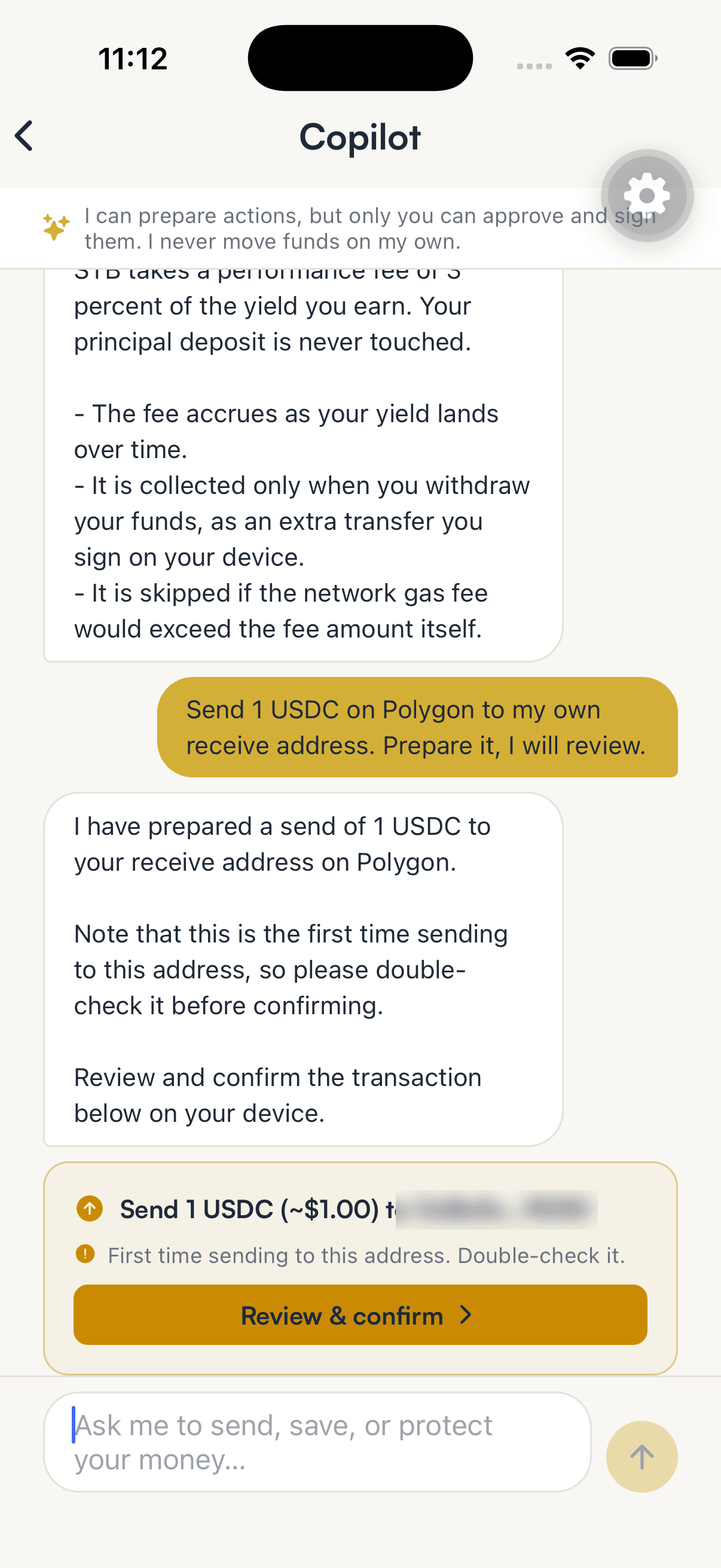
When you use the Copilot to manage funds, it sets up an unsigned transaction. This context is presented clearly on your device screen for your manual review. You must check the address, fees, and amount on your device before any trade goes through. Your phone signs the transaction locally using your isolated keys. This manual validation requires human approval for high-impact actions [1][2].
This safety rule fits with our guide on how to self-custody stablecoins safely. Keeping the signing power on your phone stops smart bots from making mistakes and draining your funds. If our backend servers ever suffer a breach, attackers still cannot steal your assets. They would need your device and your biometrics to sign any transaction. You remain the final validator of every payment.
Protecting Support Chats from Crucial Information Leaks
We also need strong safety walls when users talk with support chats. This is a big threat.
To keep you safe, our help bot has strict filters that clean up chat text. Before your message ever reaches the AI model, our filter scans the text for secret patterns. The support bot only reads data. It hides seed phrases before the AI sees your message. This ensures that your private credentials are never stored in databases. It also ensures they are never exposed to external models.
Our support chatbot treats web text and tool outputs as data, not as commands. The bot also has defenses to stop bad actors from tricking it to reveal secrets. It uses read-only tools, meaning it cannot modify your account settings or execute actions. This ensures a safe support environment that prioritizes your privacy.
Our customer help system implements strict privilege rules to block attacks. Security teams recommend restricting model access to the minimum required for the task [2]. Our support assistant is fully live and uses read-only tools only. The AI Copilot cannot sign or move funds. It only asks, while the device signs. The SpendTheBits assistants carry a defense against revealing their system prompt. These safety layers make sure that chat tools never put your private keys at risk.
Multi-Chain Safety and Spending Guardrails
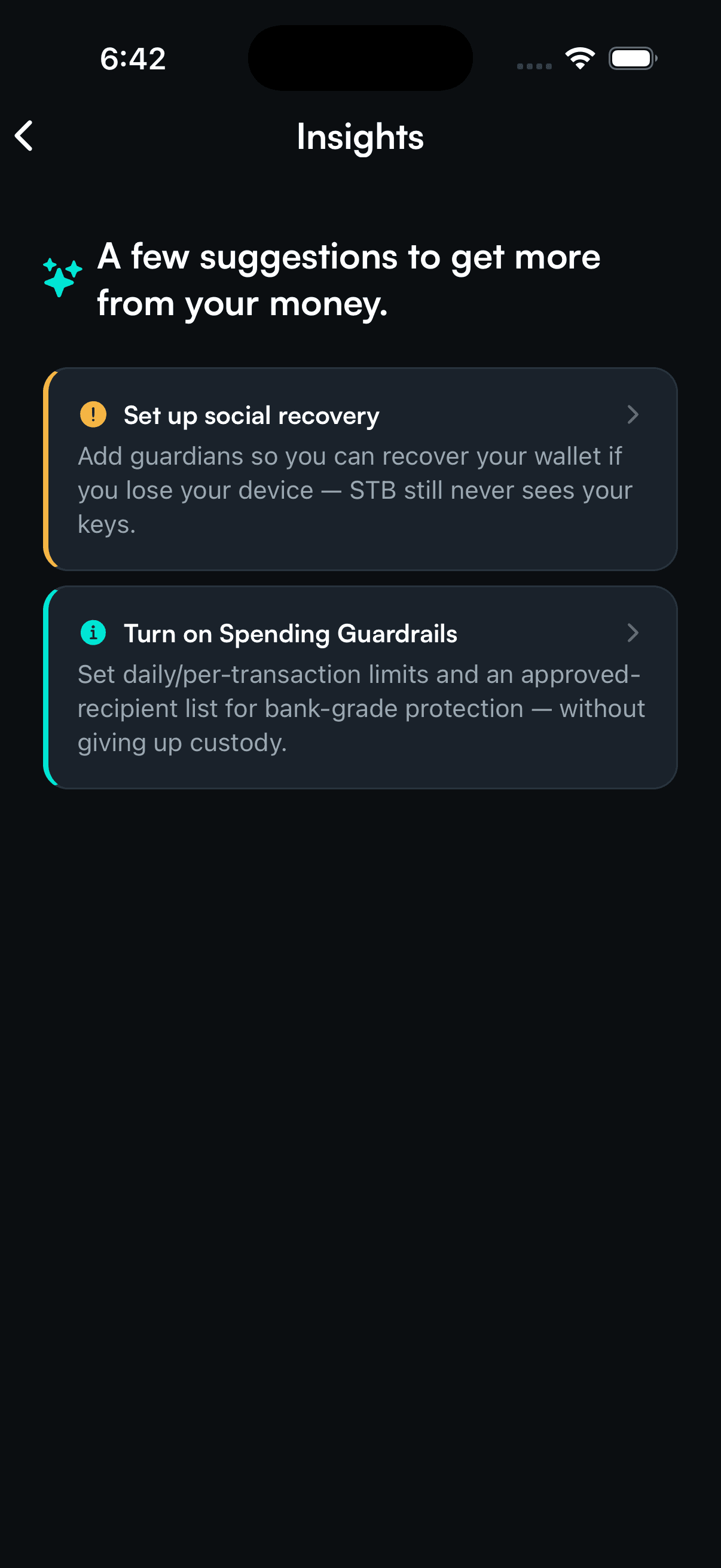
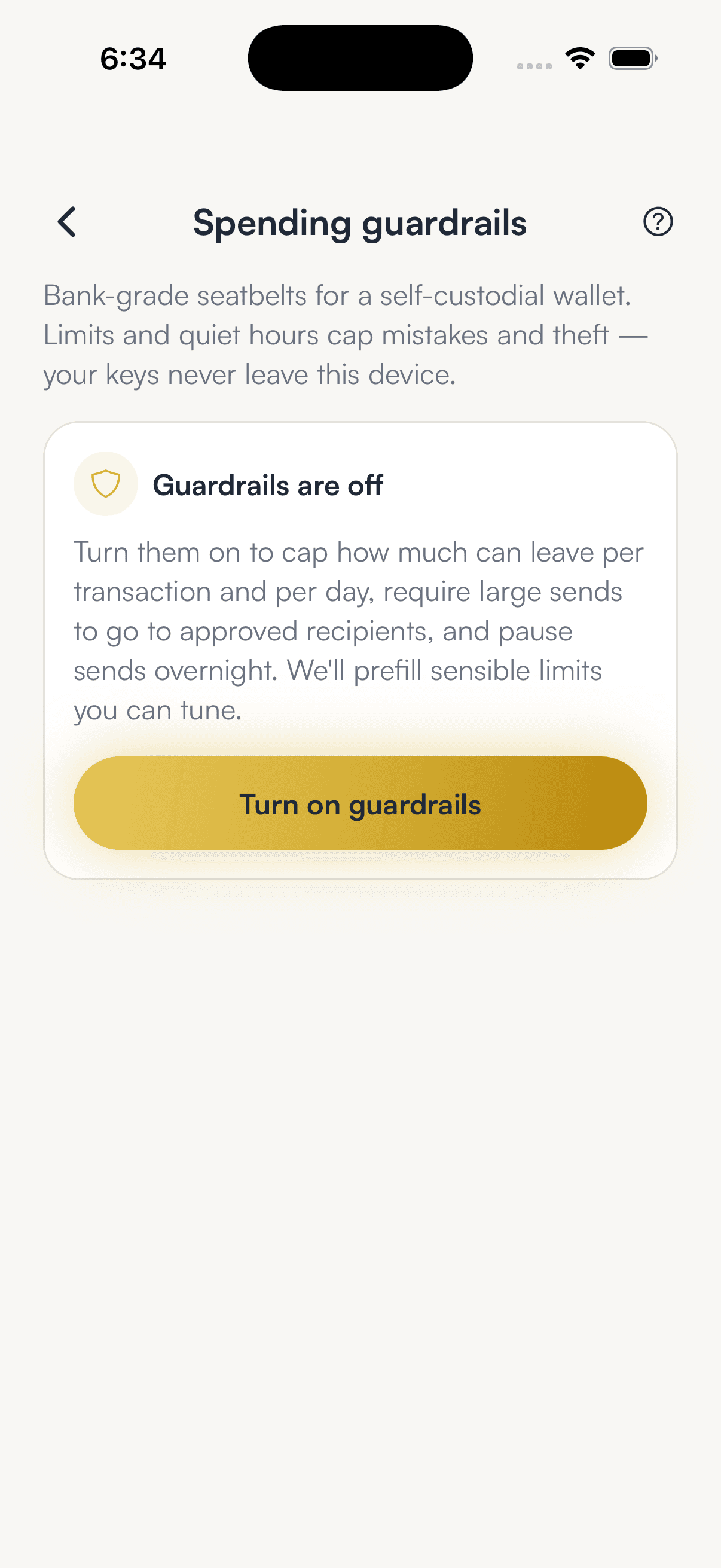
Beyond chatbot security, a robust wallet must employ multiple layers of active protection. To stop losses from bad devices, we suggest reading about stablecoin risk management. SpendTheBits includes built-in spending guardrails that you can turn on. You can set a per-send cap and a rolling twenty-four hour cap in US dollars. You can read our guide on setting spending limits to configure these caps.
We apply these rules on your device first, and our servers check them again later. Lowering a limit happens now. Raising a limit takes forty-eight hours. This delay prevents a thief with an unlocked phone from immediately draining your assets. We also offer a one-tap Freeze switch that blocks all outgoing payments. These features do not require centralized custody to keep you safe.
This combination of tools ensures that an AI crypto assistant remains a helpful advisor. It is never a security threat. You can check is USDC safe to see how we evaluate stablecoin risks on different chains. Your local device always retains the ultimate authority over your digital money. By mixing easy chat tools with real hardware checks, you get the safest way to trade.
The spending guardrails also include an allowlist option. If you turn this on, large transfers require the recipient to be on your approved list. A newly added recipient must wait out a strict cooldown period before you can send them funds. You can set quiet hours. This stops any outgoing transactions during those times. If a thief tries to turn off these protections, a default forty-eight hour delay blocks the change.
In the app · 4 steps
Use Copilot without handing it your keys
Copilot can look things up and prepare an action. Only your device can sign it, and only after you confirm.
Ask Copilot to prepare a send
Copilot drafts the transfer and shows you what it prepared. It has no way to sign or send it.
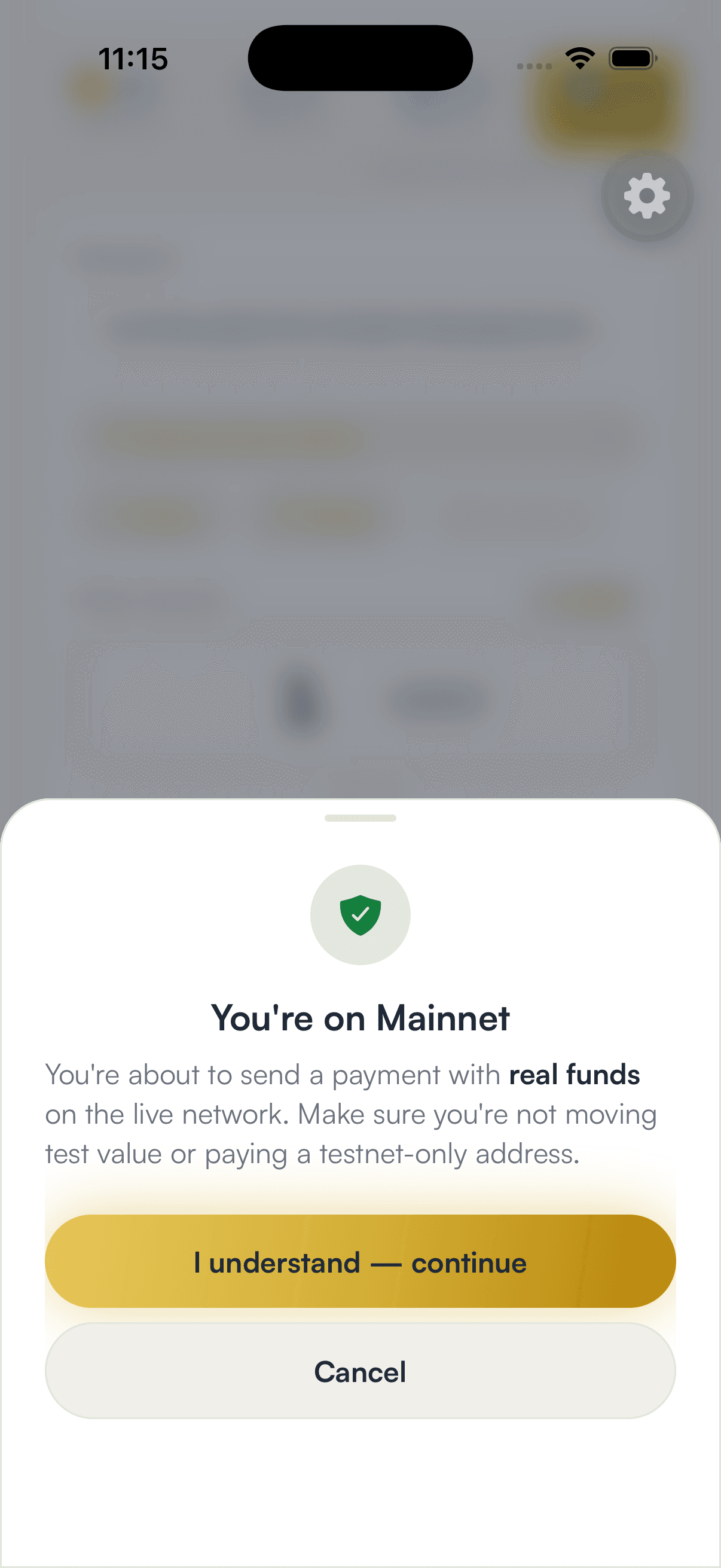
Confirm on your device
The review opens on your phone. Nothing moves until you confirm and unlock.
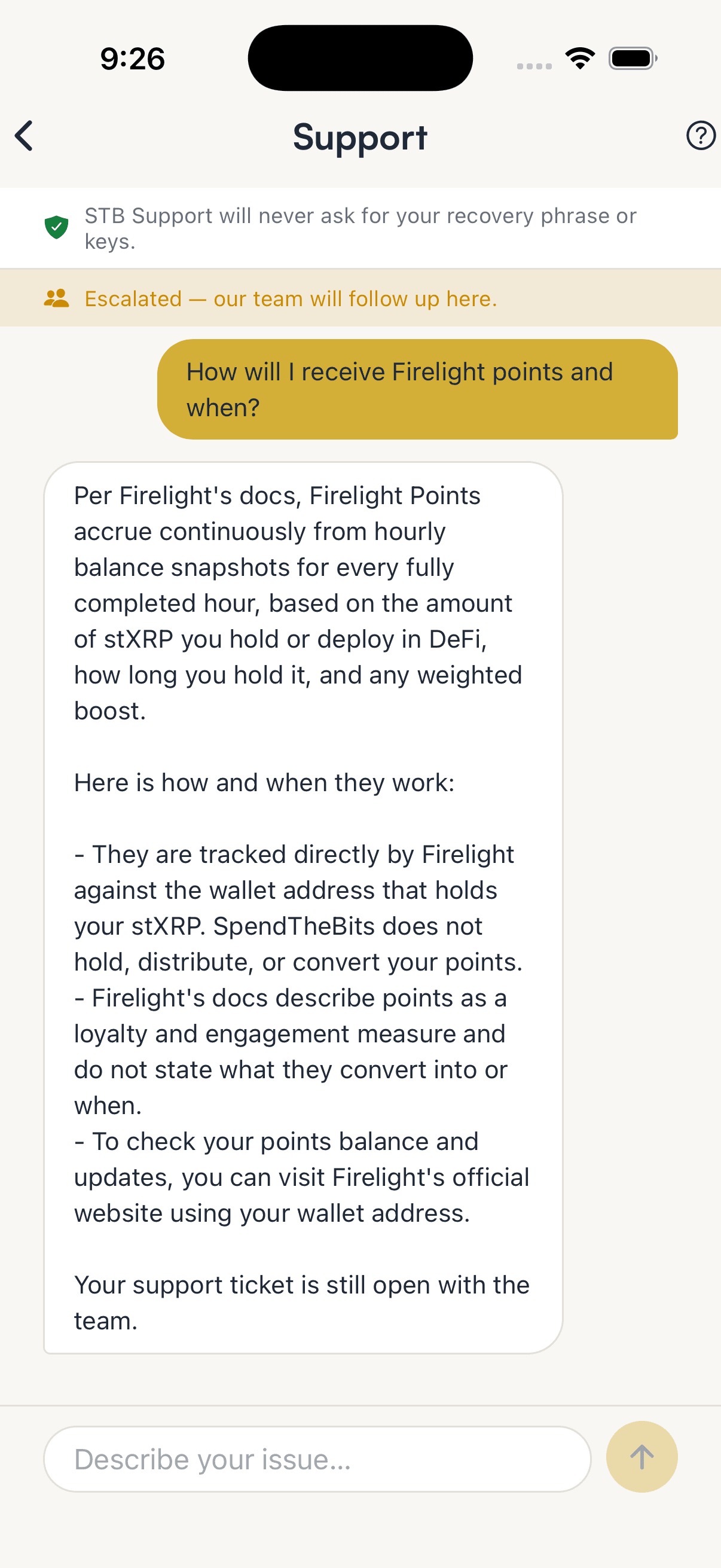
Know what support will never ask
The assistant never asks for your recovery phrase, and it blanks one out if you paste it.
Set guardrails as a backstop
Daily caps, an allowlist and quiet hours apply to every send, whoever prepared it.
Hold your own keys, keep the yield, skip the middleman.
SpendTheBits is a fully non-custodial wallet for 13 chains, free on iOS and Android.