
Why nobody can reset a Lost seed phrase
A seed phrase is not a password. It is a human-readable form of random numbers that your wallet uses to generate every key it will ever need. The BIP-39 standard calls it a group of easy to remember words, and says it can be written on paper or spoken over the telephone [1]. Phrases run from 12 to 24 words, depending on how much randomness sits behind them [1].
Because the phrase is the source of the keys, anyone who holds it can rebuild the wallet in any compatible app. The words turn into a binary seed through a fixed, public function, with no server involved [1]. There is no account record to look up and no email to confirm. The math runs the same way on every phone.
The flip side is just as firm. If a company could reset your phrase, it could also read it, and your funds would depend on its honesty. Bitcoin.org warns that when a third party controls your keys, you rely entirely on its security, and that exchanges and online wallets have been hacked, failed, or frozen access to funds [3]. Self-custody trades that risk for another one: you must keep your own backup.
The cases you can still recover
Before you give up, run down the short list of fixable cases. The first and most common is that the wallet still works on a phone, tablet, or laptop you can open. If you can unlock the app, the phrase can usually be shown again, written down properly this time, and stored safely. Do that before anything else, and do not update, reset, or wipe the device until the backup is done.
The second case is a backup you forgot you made. Bitcoin.org notes that a backup kept in a safe place protects against computer failures and many human mistakes, and it suggests copies in more than one physical place [3]. Check the usual spots: a notebook, a safe, a password manager entry, an old email to yourself.
The third case is a hardware wallet or a second device that holds the same keys. If you used one, the funds are not lost, because the keys live there. Restore it, then move the funds to a fresh wallet with a fresh backup. A fourth case is partial memory: if you lost one word, a trusted offline tool can test the options against your known address. Never type a phrase into a website that offers to find it for you. That is a classic scam move.
The cases that are gone for good
Now the hard part. If the phrase is gone, every device that held the wallet is wiped, and no backup exists anywhere, the funds cannot be reached by you or anyone else. There is no hidden master key and no appeal. Bitcoin.org says the same about passwords: unlike your bank, there are very limited recovery options, so you must never forget yours [3].
This is also why you should distrust anyone who offers to help. Ethereum.org describes a trick where someone poses as customer service and offers to return lost funds in exchange for your private keys, preying on people who do not realize the network has no such function [4]. If a stranger offers a recovery service by direct message, treat that offer as the attack.
Sending funds to the wrong address is a different loss, yet it teaches the same lesson. Ethereum.org says a transaction sent on Ethereum is irreversible, and unless you know the address owner and can convince them to send the funds back, you will not retrieve them [4]. The network treats everyone the same and makes no exceptions. If the phrase and every backup are gone, plan for the loss, and use the time you have to prevent the next one.
A loss rarely comes from one big mistake. It comes from small habits. Bitcoin.org advises keeping only small amounts on a phone or computer for daily use, and the rest in safer storage [3]. Plan for your own absence as well as for lost words.
Why one copy on paper is a single point of failure
Most people solve backup with one sheet of paper in one drawer. That works until the fire, the flood, the house move, or the relative who tidies up. Bitcoin.org puts it directly: single points of failure are bad for security, and copies in more than one physical place make it less likely that any single event stops you [3]. But every extra full copy is one more thing a thief or a curious relative could find.
So the usual advice creates a tension. More copies mean more ways to lose the wallet to theft, and fewer copies mean more ways to lose it to accident. The authors of SLIP-0039 name this trade-off: redundant backups carry a substantial risk of the backup holder absconding with the asset when its value is large [2].
The fix is simple to say. Do not copy the secret; split it. One stolen part is useless on its own, and one lost part is survivable. For more on the basics, see our guide to backing up your seed phrase and our look at crypto inheritance.
Online storage deserves its own warning. Bitcoin.org says any backup stored online is highly vulnerable to theft, and that even a connected computer can be reached by malicious software [3]. Ethereum.org adds a quiet trap: a screenshot of a seed phrase may sync to a cloud provider, where hackers can reach it [4]. So a photo of your words is not a backup. It is a second copy in a place you do not control.
How a split backup works, in plain terms
Shamir's secret-sharing, the idea behind SLIP-39, splits a secret into N parts where any T of them bring it back [2]. Picture five keys to a box where any three open it. Lose two keys and the box still opens. Have two stolen and the thief still cannot open it. The standard is built so shares from one compliant tool can be combined by another, which matters if the original software vanishes [2].
The standard also supports two levels. For a family, that lets trust be uneven without handing one person everything.
One honest limit applies. SLIP-39 is meant as a replacement for BIP-39, and for the most part the two are not compatible [2]. The BIP-39 authors themselves named SLIP-0039 as the intended successor, partly because of shortcomings such as a short checksum [1]. So confirm how your own wallet backs up the seed before you rely on any scheme.
The two-level design in SLIP-39 gives you room to shape trust. Even if all six relatives collude, they cannot rebuild the secret without help from the friends or one of her own shares [2]. Each share also carries a random identifier, which lets you check that the pieces belong together [2].
How SpendTheBits turns this into social recovery
SpendTheBits is fully non-custodial. The seed phrase and private keys are generated and stored only on your device, and every transaction is signed there. The backend never sees a seed, so it cannot reset one either, which is why backup design matters so much. Our guide to non-custodial wallets explains the model.
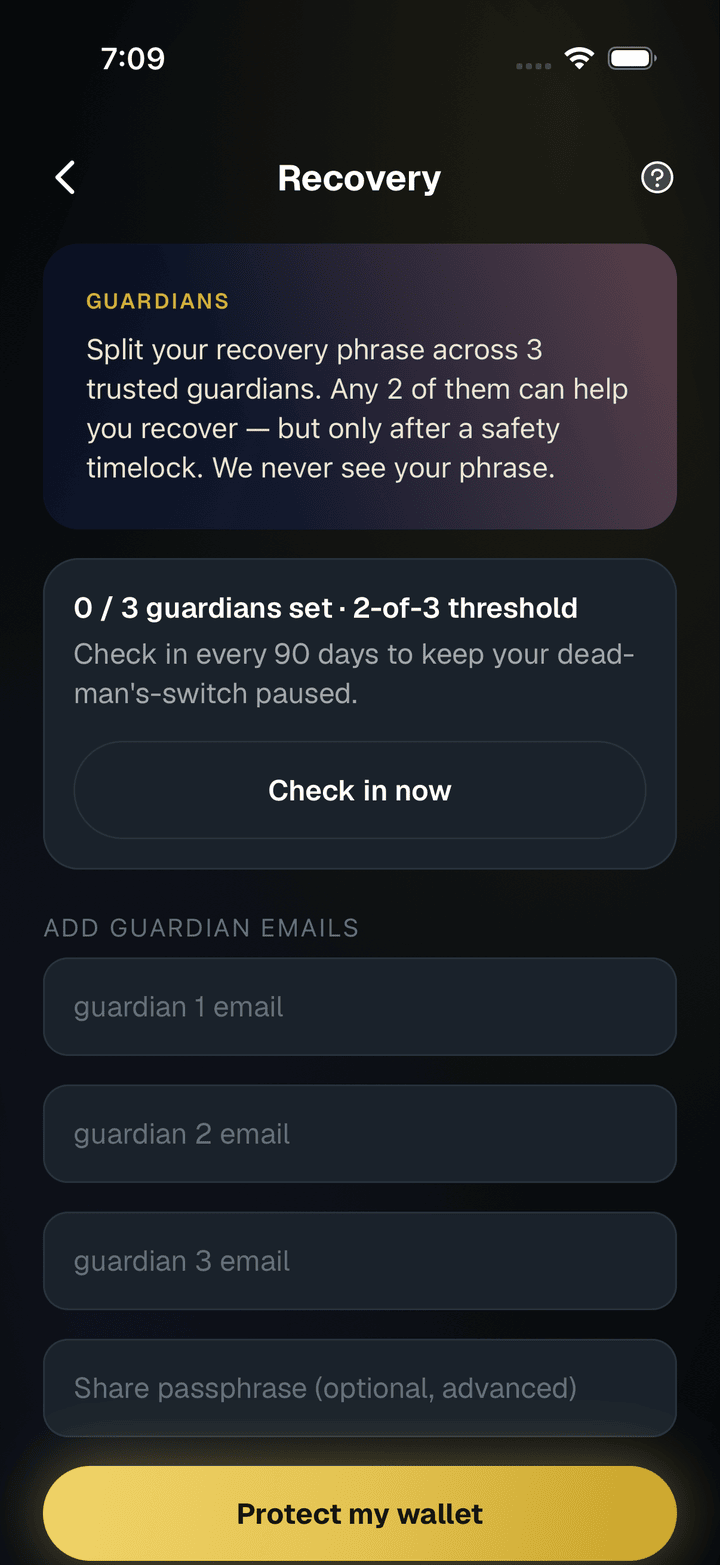
Social recovery splits the seed into SLIP-39 guardian shares with a threshold, so a set number of guardians must take part. A recovery can be started by a guardian or by the owner, and the owner can cancel it. The server stores only ciphertext, never the seed. Our page on how to set up social recovery shows how to pick guardians, and the recovery overview gives the wider picture.
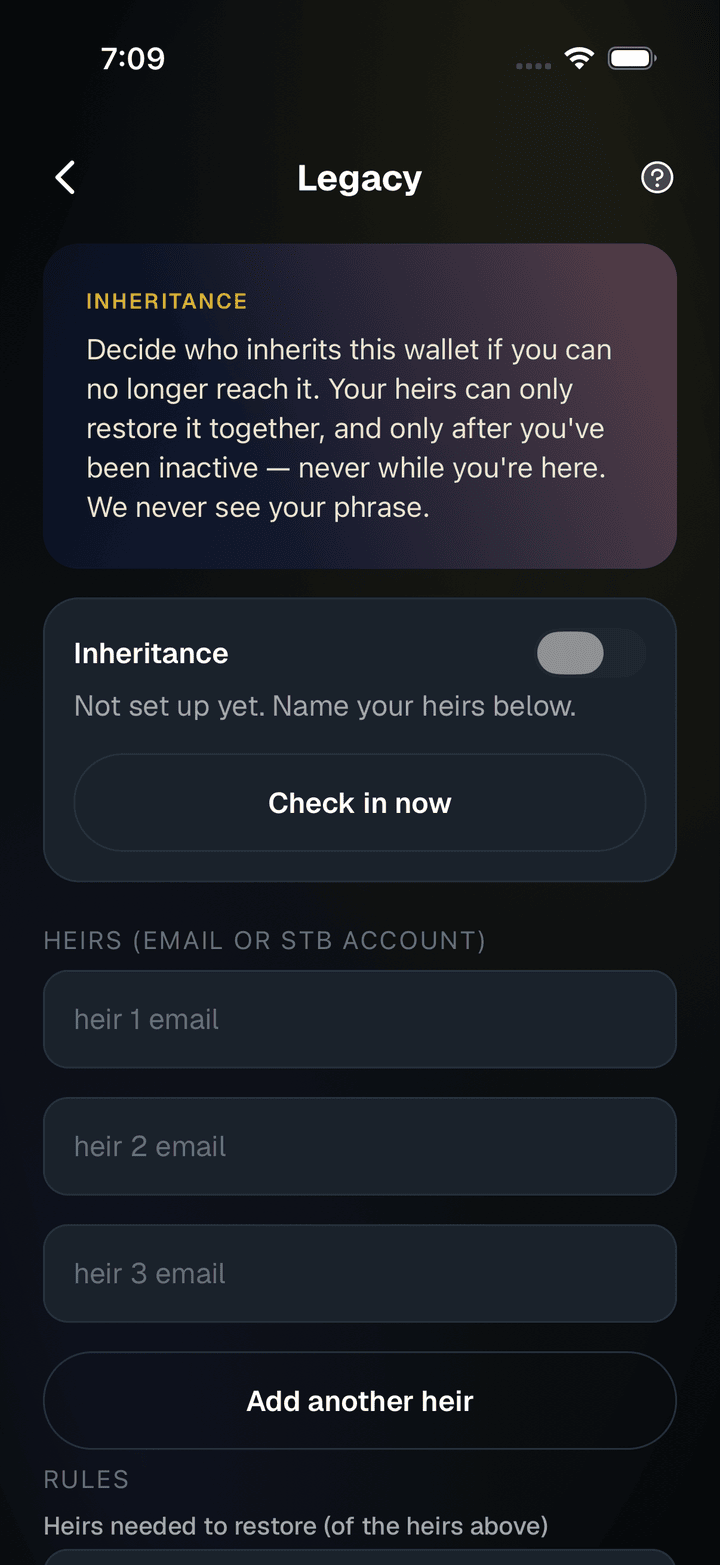
Inheritance covers the case where you cannot act at all. It works as a dead-man's switch: you check in periodically, and heirs can claim only after a long silence that you can end by checking in. A busy season does not hand your funds away, and a real absence does not strand them. See how to set up inheritance. Finally, test your backup by restoring onto a spare phone, as in how to restore your wallet on a new phone.
In the app · 3 steps
Set up recovery before you need it
A lost phrase is only recoverable if you planned for it. These are the screens to set up today.
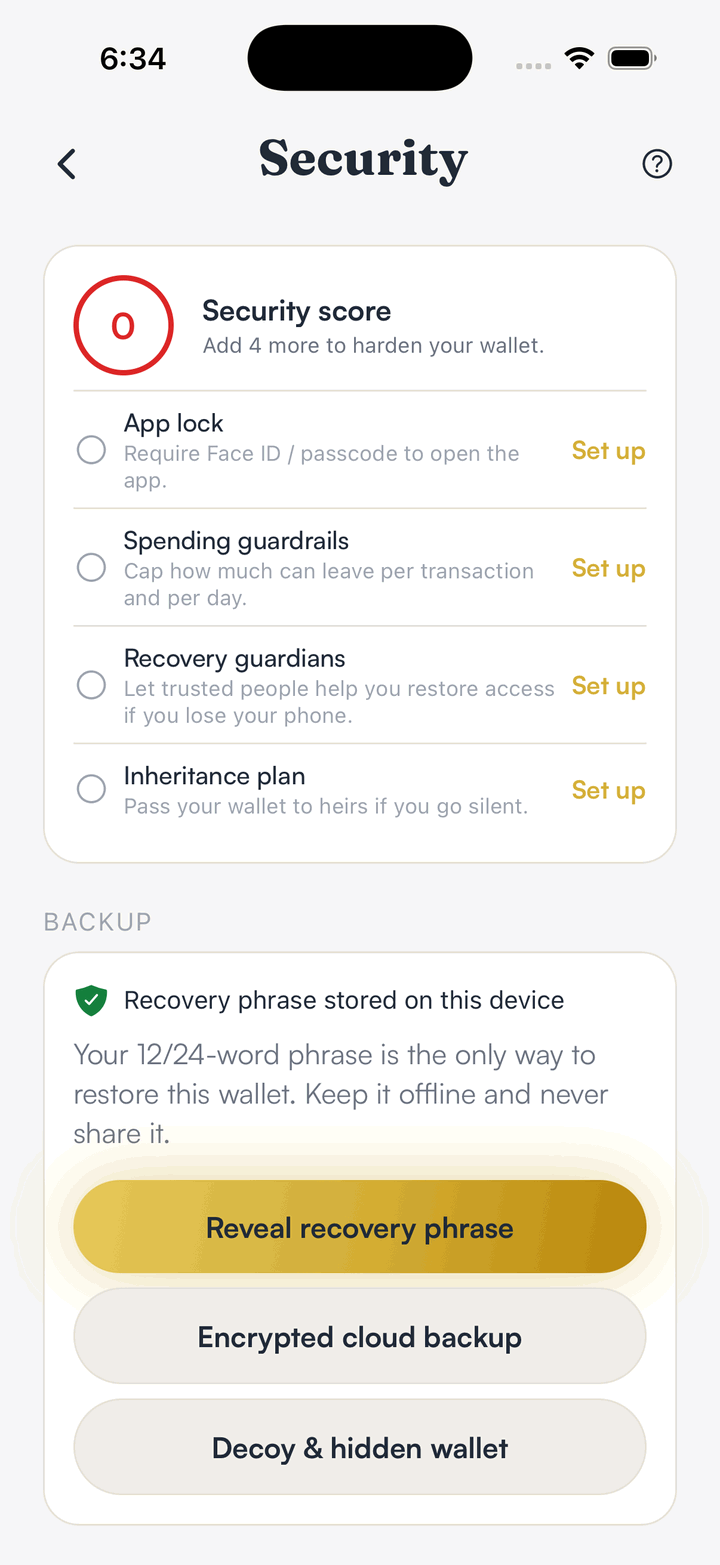
Back up the phrase
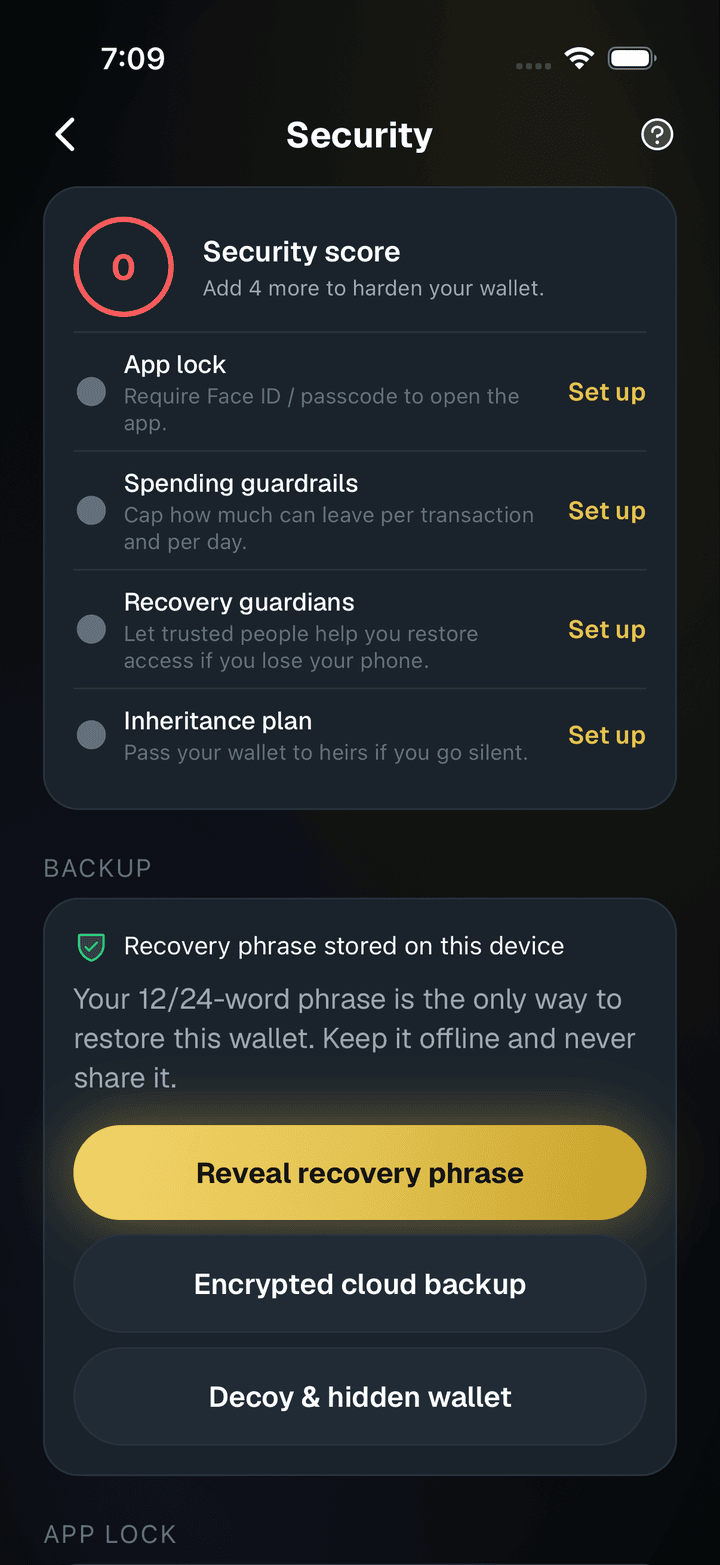
The Security screen shows where the phrase lives and offers an encrypted cloud backup.
Choose guardians
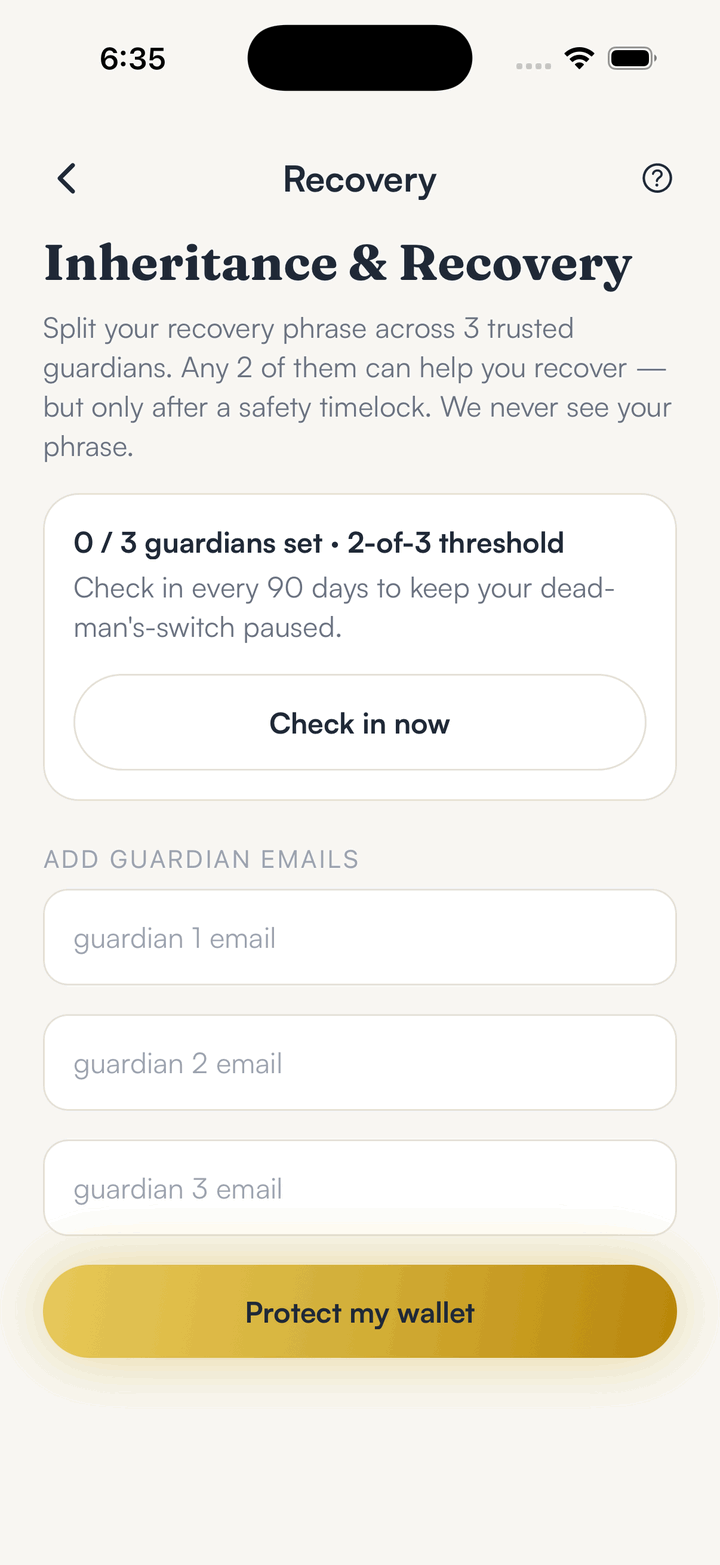
Pick trusted guardians; any two of three can help you recover, after a safety timelock.
Name your heirs
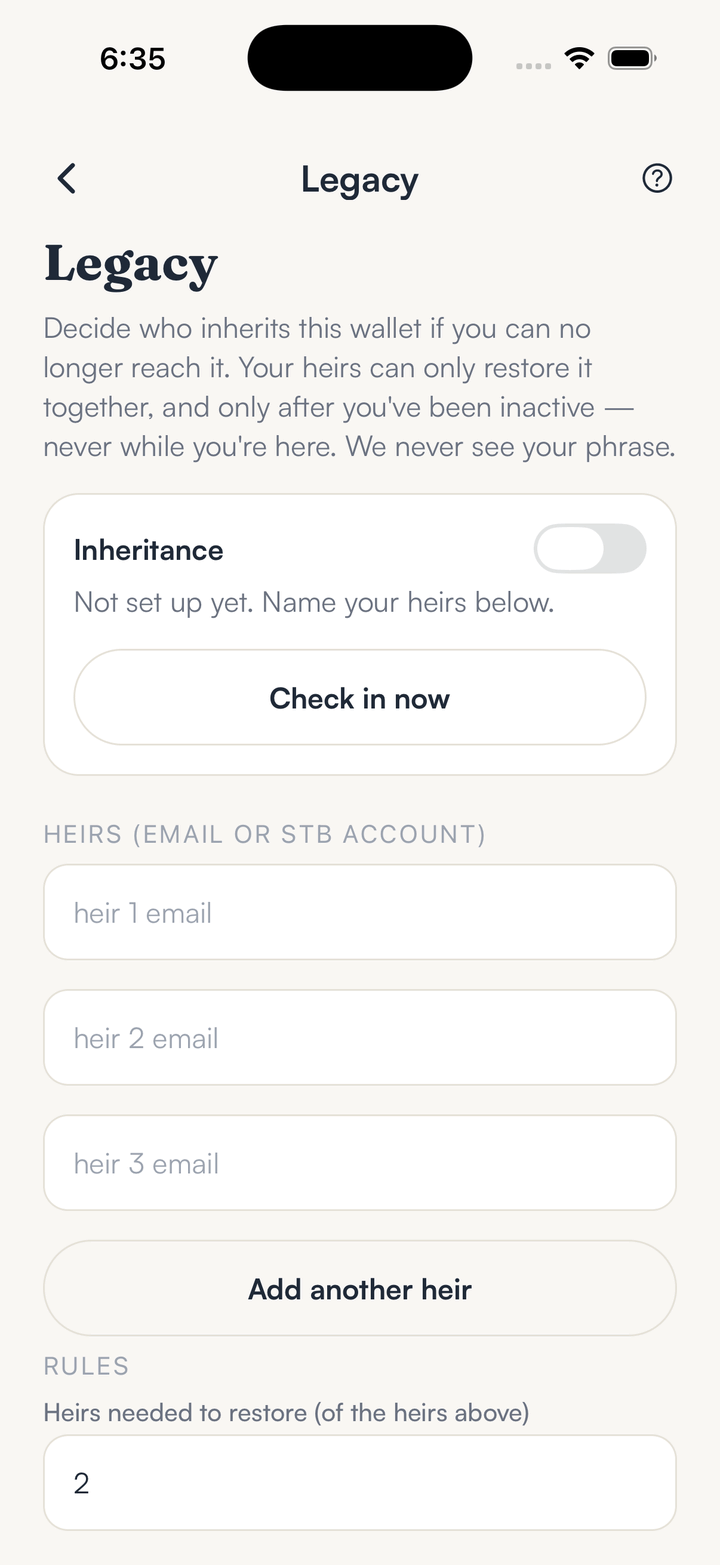
Legacy lets heirs restore the wallet together only after a long period of inactivity.
Hold your own keys, keep the yield, skip the middleman.
SpendTheBits is a fully non-custodial wallet for 13 chains, free on iOS and Android.