
The Top Threat to Generative AI
The Open Web Security group lists prompt injection as the number one risk for big language models [4]. Normal computer tools keep code and data separate. Generative AI models do not do this because they read instructions and data in the same text stream [1]. If a bad actor puts specific text in the input, they can rewrite how the tool acts [1]. This is not a simple code bug. Understanding prompt injection is key to safe design.
Tests show that pulling fresh web data or fine-tuning models does not stop this threat [1]. The technology is based on probability, making it very hard to know how a model will act in every case [1]. This makes natural language tools fun to use but hard to trust in risky moments.
Also, these attacks can happen in ways that no human eye can spot [1]. Bad actors can hide rules in images or use strange characters that look like random noise to people but look like clear orders to the model [1]. This multimodal threat expands the risk for any wallet [1]. Because these systems process many inputs at once, safety models must assume all incoming data is hostile.
Direct Versus Indirect Injections in Crypto
To protect a wallet, we must understand the difference between direct and indirect attacks. A direct prompt injection occurs when a user types text to bypass safety blocks [1]. For instance, a user might tell a support chatbot to ignore its original rules and leak private setup data [1]. This is jailbreaking, a clear try to break system rules [1]. In a finance app, this can lead to bad access or leaked rules [1][2].
Indirect attacks are much more dangerous for normal users. An indirect prompt injection happens when the AI reads outside data that has hidden rules in it [1]. A user can employ an LLM to summarize a webpage containing hidden instructions [1]. If that page has a hidden command, it can hijack the chat [1]. The model reads the bad text and starts running it, thinking it is part of its job [1][3].
Unknown inbound tokens are quarantined so a fake token cannot pose as a real balance. This is why top platforms must prioritize secure data boundaries. We suggest reading our guide on how self-custody works to see who holds real power in a wallet.
The Danger of System Prompt Leakage
Another big risk for these tools is system prompt leakage [2]. System prompts are the base rules that developers write to guide the AI's role and safety limits [2]. For example, a prompt might tell the tool to act as a helpful guide. If an attacker tricks the model into revealing these hidden rules, they learn how the app works [2]. They can use this to map the system and find soft spots [2].
It is a big mistake to rely on system prompts as a strong safety check [2]. Avoid embedding any sensitive information, such as API keys or application permission structures, directly in system prompts [2]. If the model has database keys in its system instructions, a leak exposes those keys to the world [2]. The real danger is showing weak safety checks under the hood [2]. Real code outside the model must enforce all security [2]. The prompt is never a secret.
When picking tools, you should look at whether stablecoins are safe and check the security of your apps. A secure app assumes its system prompts will get leaked. Developers must build systems where a tricked AI cannot bypass access checks [2]. If the base system has strict rules, a leaked prompt is just a minor pain, not a total disaster [2]. Security must live in the code, not in the chat box.
Why Filtering What the Assistant Reads Fails
When developers first see these risks, they try to build complex text filters. They write rules to block specific words, look for bad patterns, or check outputs [1][2]. While these filters stop simple tricks, they fail against smart attacks. Developers can build safeguards into system prompts and input handling to help mitigate prompt injection attacks [1]. They can split their attack across messages or translate commands [1]. We must understand how prompt injection bypasses standard filters easily.
Because language is complex, relying on filters is a losing game. An attacker might use base64 code or emojis to hide their rules from scanners [1]. If the assistant decodes this text, the bad instruction still runs [1]. This is why input filtering is a weak primary defense. We talk about these technical truths in our guide on storing backup keys safely. Security needs robust architecture, not just text matching.
Strict filters can also ruin the user experience by blocking good queries. If a filter is too sensitive, it might flag normal questions about past deals. This causes frustration and makes users turn off safety tools. Instead of trying to build a perfect filter for everything the model reads, a better way is to limit what the assistant can do. If the tool has no power to do harm, an injection does not matter.
Designing the Copilot with Minimal Agency
To stop these threats, we must look at the risk of excessive agency [3]. This happens when developers give an assistant too much power to call tools or run actions without a user saying yes [3]. If an AI has direct access to your keys and can sign deals, an injection can drain your wallet fast [1][3]. The key to safety is to limit what the tool can do to the bare minimum [3]. We must reduce privileges.
In SpendTheBits, our AI Copilot is built with clear limits. It can read your balances, study your trends, and prepare deals for you to check. But it cannot sign or send. The AI assistant can draft an action, but the device signs only after the user confirms it. Even if an attacker hijacks the Copilot, they cannot steal funds because the model cannot sign. The physical device remains the ultimate gatekeeper of your on-chain assets.
Our support assistant also follows this rule of low agency. It uses read-only tools and redacts seed-phrase patterns before the model sees them. We treat tool output and web text as data, not as orders. So, the AI proposes the deal, but your physical device is the only thing that signs it. This ensures that even the cleverest prompt exploits remain entirely harmless to your wallet balances.
Secure Practices for Smart Wallets
As tools get smarter, choosing a platform with strict safety rules is key. A good wallet splits privileges and avoids open-ended tools [3]. It makes sure the base system checks all requests against hard code, rather than letting the AI decide [2][3]. This complete mediation rule keeps your assets secure when using web features [3]. By limiting what each assistant can do, developers keep the system safe from exploits [3].
You should also look for platforms that use strong recovery systems. A safe backup means you never lose access to your cash, even if software bugs pop up. We suggest reading our guide on how to back up your seed phrase to see why keeping your own keys is vital. A true self-custody wallet means no server, helper, or coder can touch your seed phrase.
While AI helpers are handy, they bring risks like prompt injection [1]. The best way to protect yourself is to use platforms that treat these models as guides, not as bosses. Using human oversight for risky actions can prevent unauthorized operations when dealing with generative AI [1]. A secure wallet design ensures technology serves you safely. By remaining vigilant, we can enjoy the future of finance without fear.
In the app · 5 steps
How the SpendTheBits Copilot stays safe to talk to
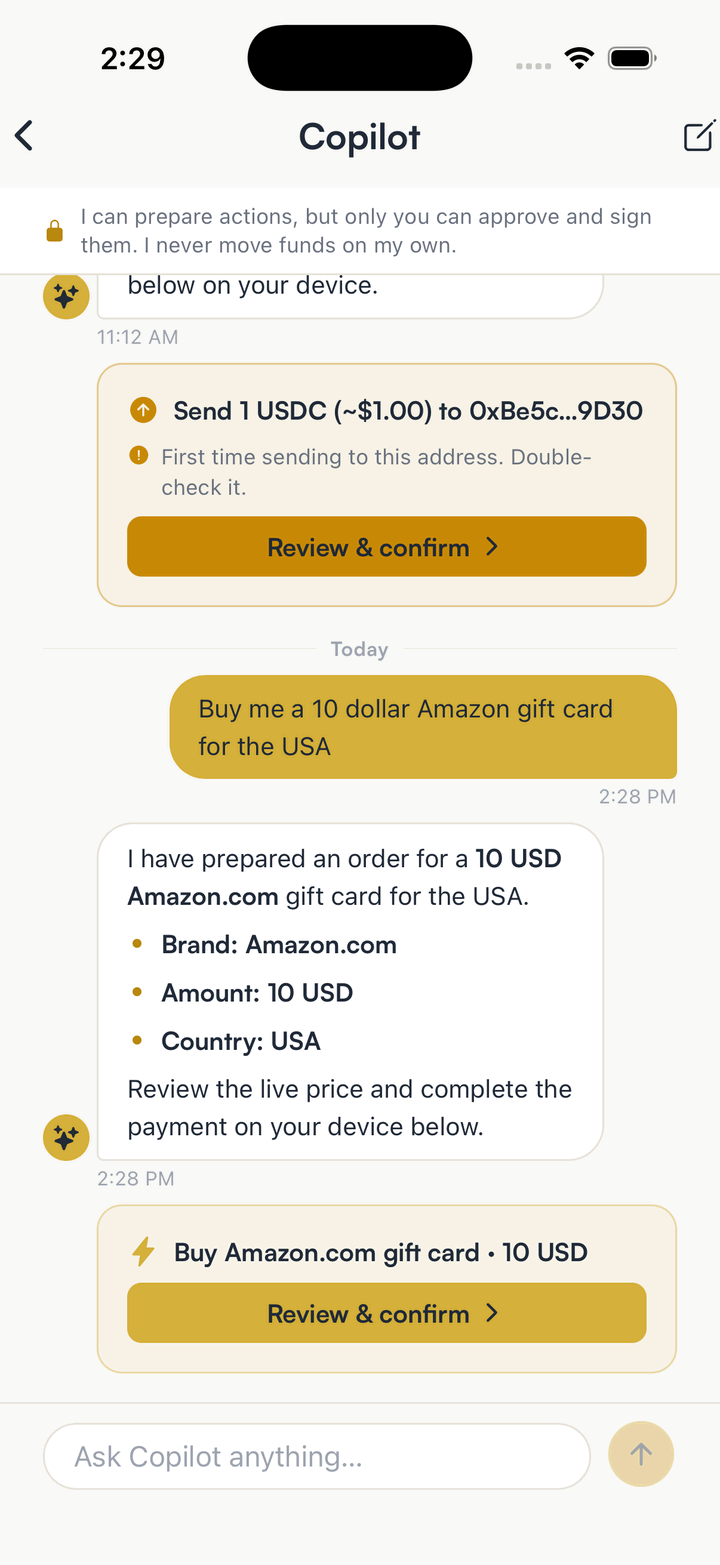
The defence the article recommends is limiting what the assistant can do. In the app that limit is visible on every screen below.
Ask the Copilot to do something
The banner at the top says it plainly: the Copilot can prepare actions, but only you can approve and sign them. It never moves funds on its own.
Read what it prepared
A prepared send arrives as a card with the amount and the destination, plus a warning when the address is new. A hijacked prompt can at most produce a card you then refuse.
Confirm on the device, with the network named
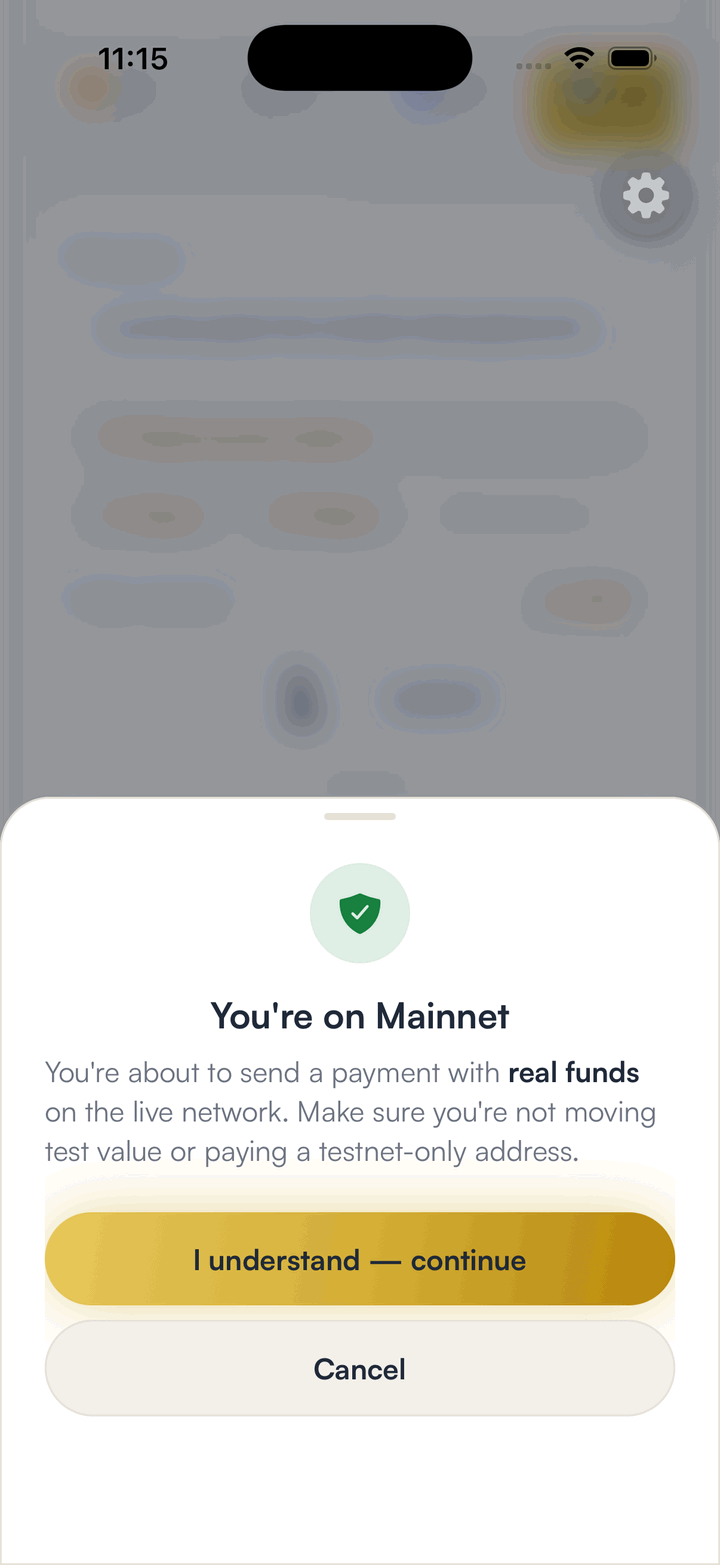
Nothing is signed until you open the review and approve it. On mainnet the app names the network and warns that real funds are about to move.
Support never asks for your phrase
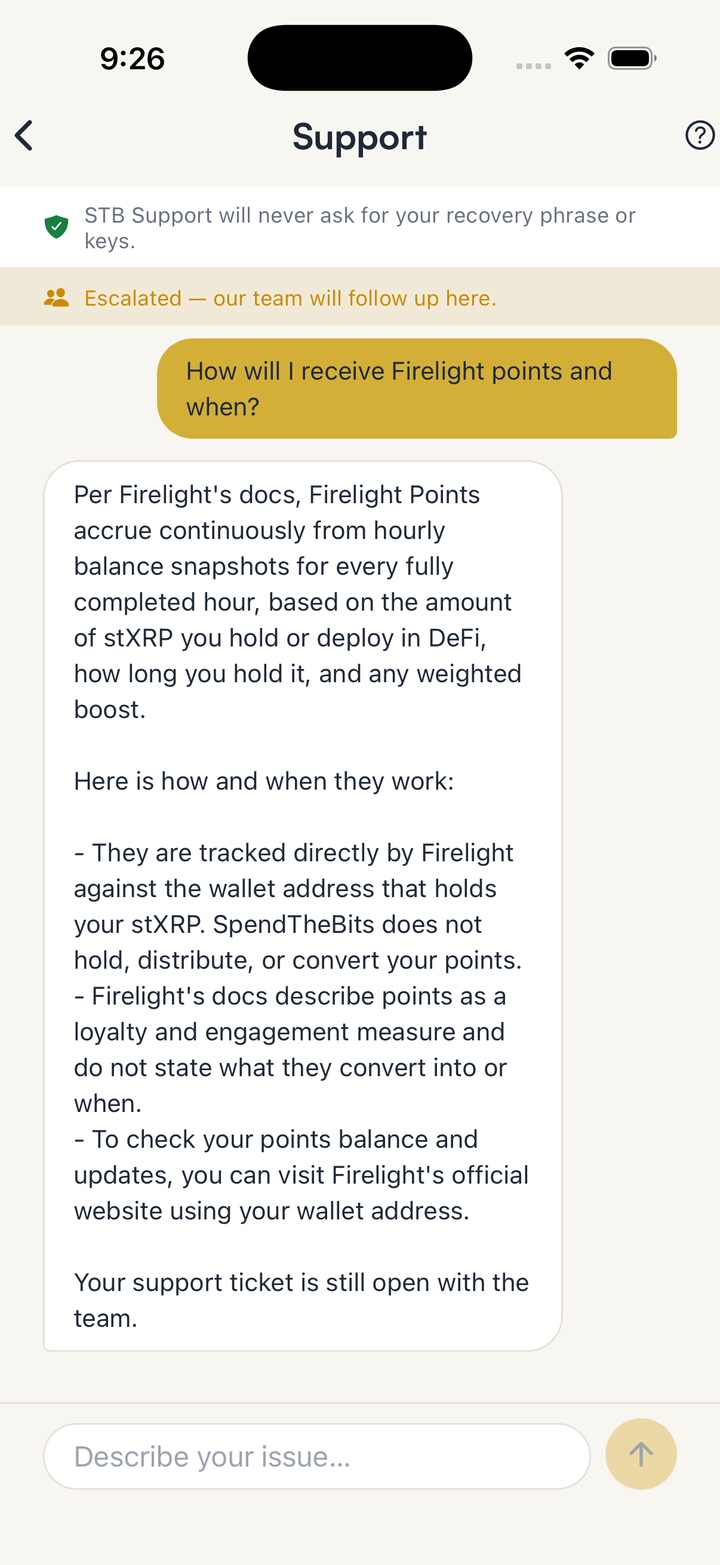
The support assistant only has read-only tools, removes anything that looks like a recovery phrase before the model sees it, and says so at the top of every chat.
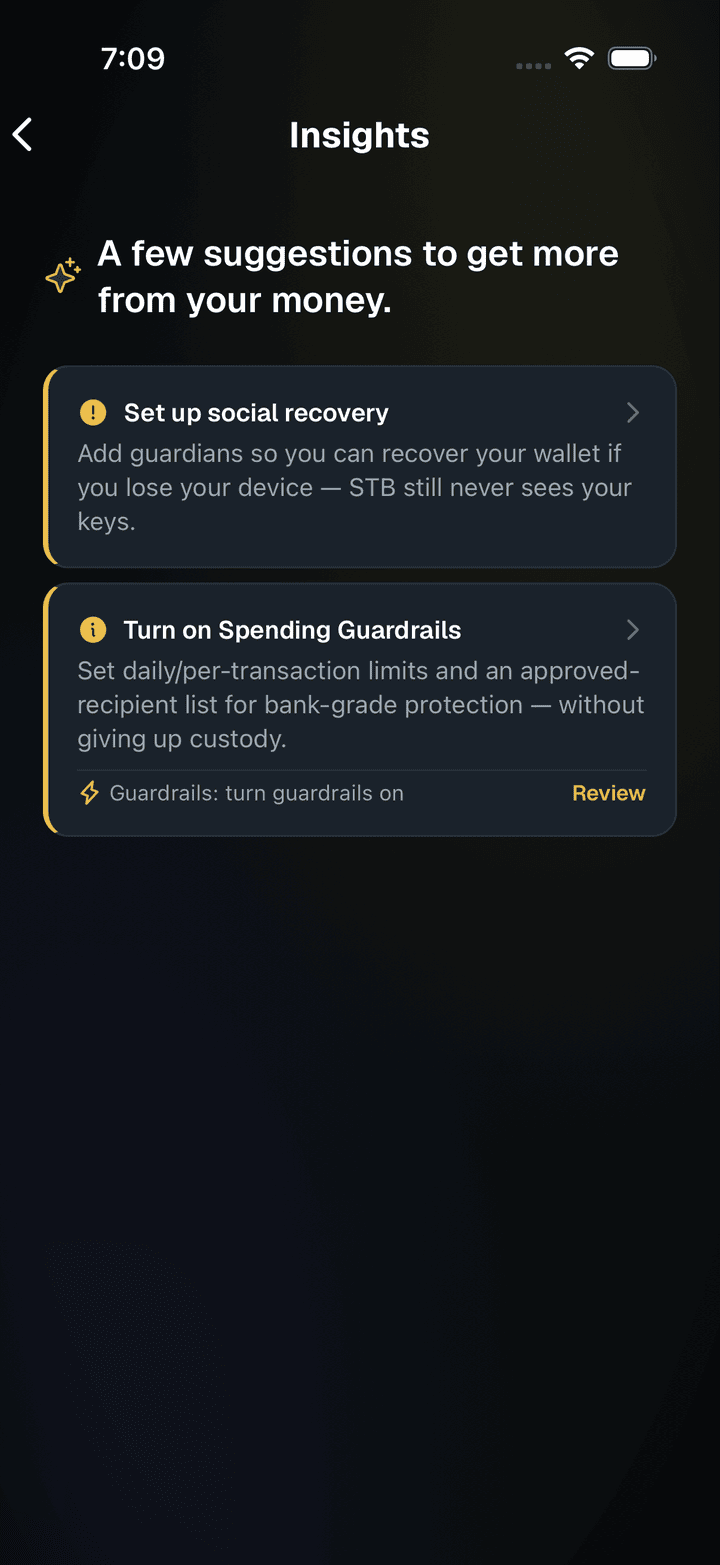
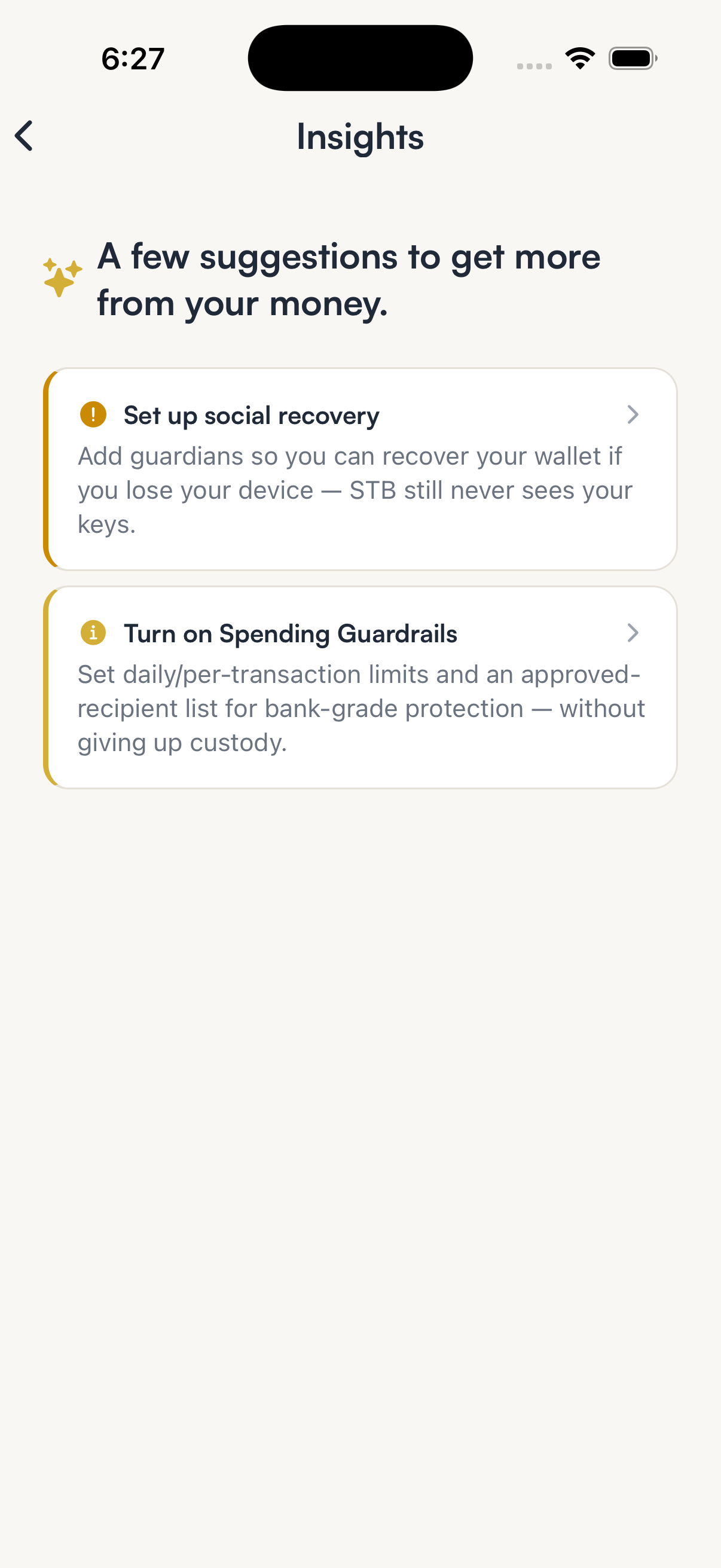
Check Insights for what it found
Suggestions and risk notes from the assistant collect on the Insights screen, so nothing it flags depends on reading a chat.
Hold your own keys, keep the yield, skip the middleman.
SpendTheBits is a fully non-custodial wallet for 13 chains, free on iOS and Android.