
One address, many customers
Large services often hold funds for thousands of people at a single XRP Ledger address. The XRPL docs call this providing hosted accounts: customers send and receive through the service's address using another interface [1]. It is simpler for the service, but it raises a question. When a payment arrives, whose balance should go up?
The answer is the destination tag. A service gives each customer a number and asks them to include it in every deposit. The docs say a service can use a destination tag to indicate which customer to credit for the amount of the payment [1]. Think of it like an apartment number on a shared street address. The building gets the letter either way. The number decides whose mailbox it goes in.
Tags work in the other direction too. A source tag can mark which customer a payment came from, so the receiver knows where to send a refund [1]. Both kinds are plain numbers, not names.
The same idea shows up across payments. A bank wire to a large company often needs a reference number so the payment reaches the right invoice. A destination tag plays that role on the XRP Ledger, with one difference: it is a number only, and it travels inside the transaction itself.
What a destination tag actually is
On the ledger, a tag is small and simple. Both source and destination tags are 32-bit unsigned integers [1]. In the Payment transaction, DestinationTag is an optional field described as an arbitrary tag that identifies the reason for the payment to the destination, or a hosted recipient to pay [3].
The key word in the docs is off-ledger. Tags do not have direct on-ledger functionality; they only tell off-ledger systems how to process a payment [1]. The XRP Ledger moves the XRP to the address either way. It is the service's own software that reads the tag and updates its internal records.
Tags are also public. Every XRP Ledger transaction can be seen by anyone, and the docs warn that handing out tags in sequence can let outsiders guess which tags belong to which users [1]. That is why a good service picks tags that look random. For you as a sender, it means a tag is a routing number, not a password.
When you need an XRP destination tag, and when you do not
You need an XRP destination tag whenever the receiver gives you one. That usually means a crypto exchange deposit page, a payment processor, or any service that shows an address and a tag together. Copy both. If the deposit page shows a tag field, treat it as required even if your wallet marks it optional.
You do not need one when sending to a personal self-custody wallet. In that case, the address belongs to one person, so there is nobody else to tell apart. Sending XRP to a friend who holds their own keys needs the address and the amount. Adding a random tag does no harm to the transfer itself, but it is not needed.
If you are unsure, ask the receiver. A business that wants a tag will tell you. A person with their own wallet will usually say they do not have one. Never guess a tag, and never reuse a tag from an old deposit page without checking it is still yours.
RequireDest: when the ledger refuses an untagged payment
Services can ask the ledger itself to help. The XRP Ledger has a Require Destination Tag setting, designed for addresses that host balances for multiple people or purposes [2]. An account turns it on with the asfRequireDest flag in an AccountSet transaction, and it shows up as the lsfRequireDestTag flag on the account [2].
With the setting on, a payment that has no destination tag fails with the error code tecDST_TAG_NEEDED [2]. The docs explain the goal: the ledger rejects the payment instead of giving the service money it does not know what to do with [1]. For a sender, a failed payment here is good news. Your XRP stays with you, and you can try again with the tag.
But the setting has a limit. The ledger has no way to know whether a specific tag is valid in the service's system [2]. So a wrong tag, such as one with two digits swapped, still goes through. The payment lands at the service's address under a number that may belong to nobody, or to someone else. That is why checking the tag matters as much as checking the address.
X-addresses fold the tag into the address
Because people forget tags, the XRPL community created a format that bundles them. An X-address combines a classic address with a tag into a single address that encodes both [1]. Paste one X-address and the wallet knows both the destination and the tag.
Not every wallet or service supports X-addresses. If a service shows both a classic address and a tag, use them as shown. If it shows an X-address, use a wallet that understands the format. Mixing them, for example by pasting only part of a long string, is how mistakes happen.
There is a habit that helps with any format. Copy the address and tag straight from the service's deposit page, not from an old email, a chat or your own notes. Deposit details can change, and a message can be faked. Going back to the source each time is slower, but it removes a whole class of mistakes.
Whatever format you use, check the address on the review screen before you sign. A payment on the XRP Ledger is final once it is validated. No one on the network can pull it back. Learn more about how XRP Ledger accounts and tokens work in our piece on XRPL trust lines.
Forgot the tag? What to do next
First, look up the transaction in an XRP Ledger explorer using its hash. If it failed with tecDST_TAG_NEEDED, nothing arrived and you can simply resend with the tag [2]. If it succeeded, the XRP is at the service's address but not linked to your account.
In that second case, contact the service's support. Give them the transaction hash, the amount, the time and your account details. The docs note that an untagged payment can require a manual intervention to find the right customer [1]. Many services can credit it after checking, but the process and any timing are up to them.
Two more traps are worth knowing. A brand new XRP Ledger address must receive enough XRP to meet the reserve before it exists; the base reserve on mainnet is 1 XRP [4]. And the Payment docs warn that partial payments can fool integrations that read the amount field naively [3]. If someone shows you a payment as proof, check the delivered amount on an explorer.
Sending and receiving XRP in SpendTheBits
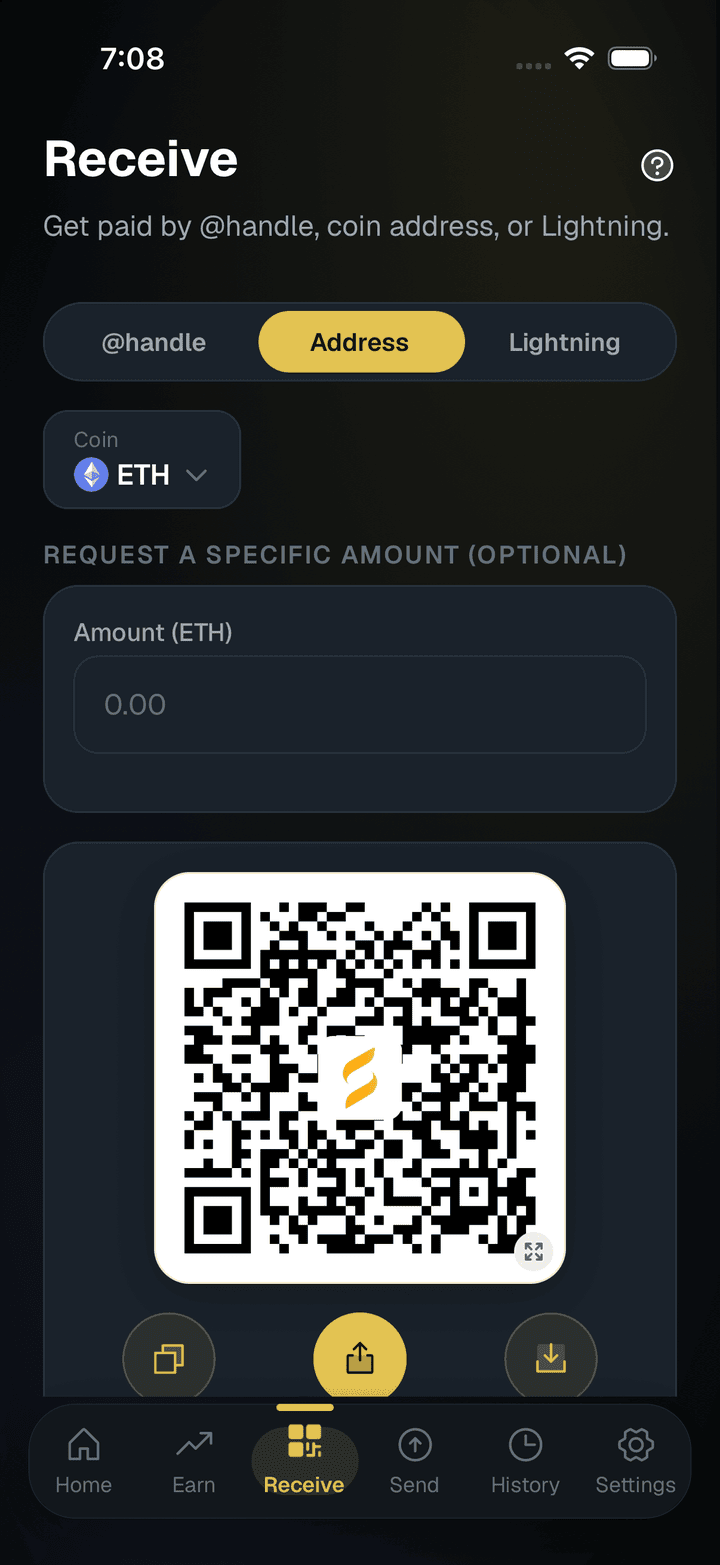
XRP itself is live on the XRP Ledger in SpendTheBits, and RLUSD and USDC on the XRP Ledger are live too. SpendTheBits is a self-custody wallet, so your XRP address is yours alone. Receive shows your own address as a QR code with copy and share buttons, and it needs no unlock. Because nobody else shares that address, people paying you do not need a tag.
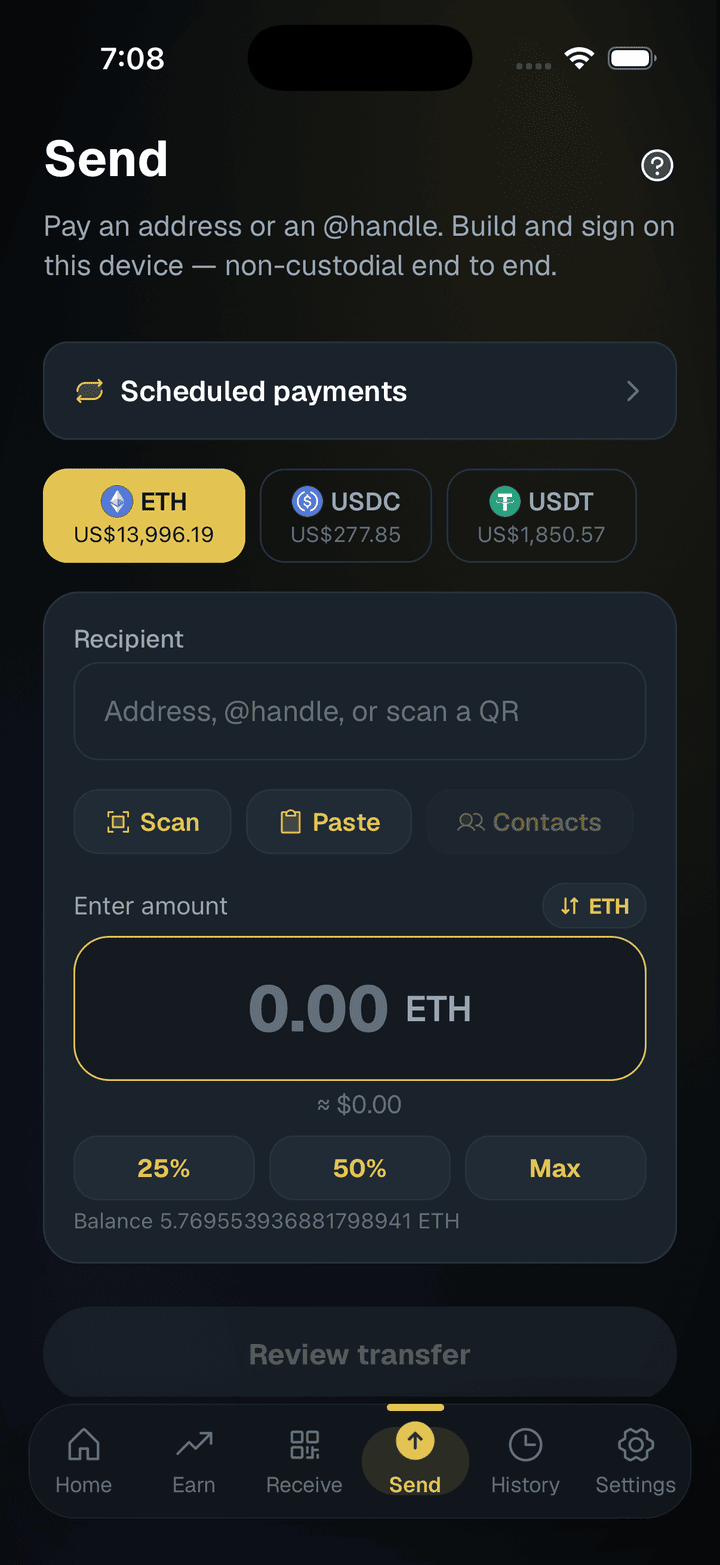
Before a send goes out, the Send screen warns in plain words when it is the first time you are sending to an address, and when an address looks almost identical to one you have paid or saved. Those warnings help most with the moment when a deposit page hands you a fresh address to copy. Read the destination and any tag on the service's page twice, then compare them with what you entered.
Every recipient is risk-screened before a send goes out, and the seed phrase and private keys stay on your phone. See the wallet page for the chains supported, or our help guide on how to send crypto for the steps.
In the app · 3 steps
Send and receive XRP in SpendTheBits
Your XRP address is yours alone, so people paying you need no tag. Here is the path for both directions.
Share your own address
Open Receive and pick XRP. Your address shows as a QR code with copy and share buttons, no unlock needed.
Send with care
Open Send, paste the address, and read any warning about a first-time or look-alike address. Check the service's tag on its own page before you sign.
Keep the hash
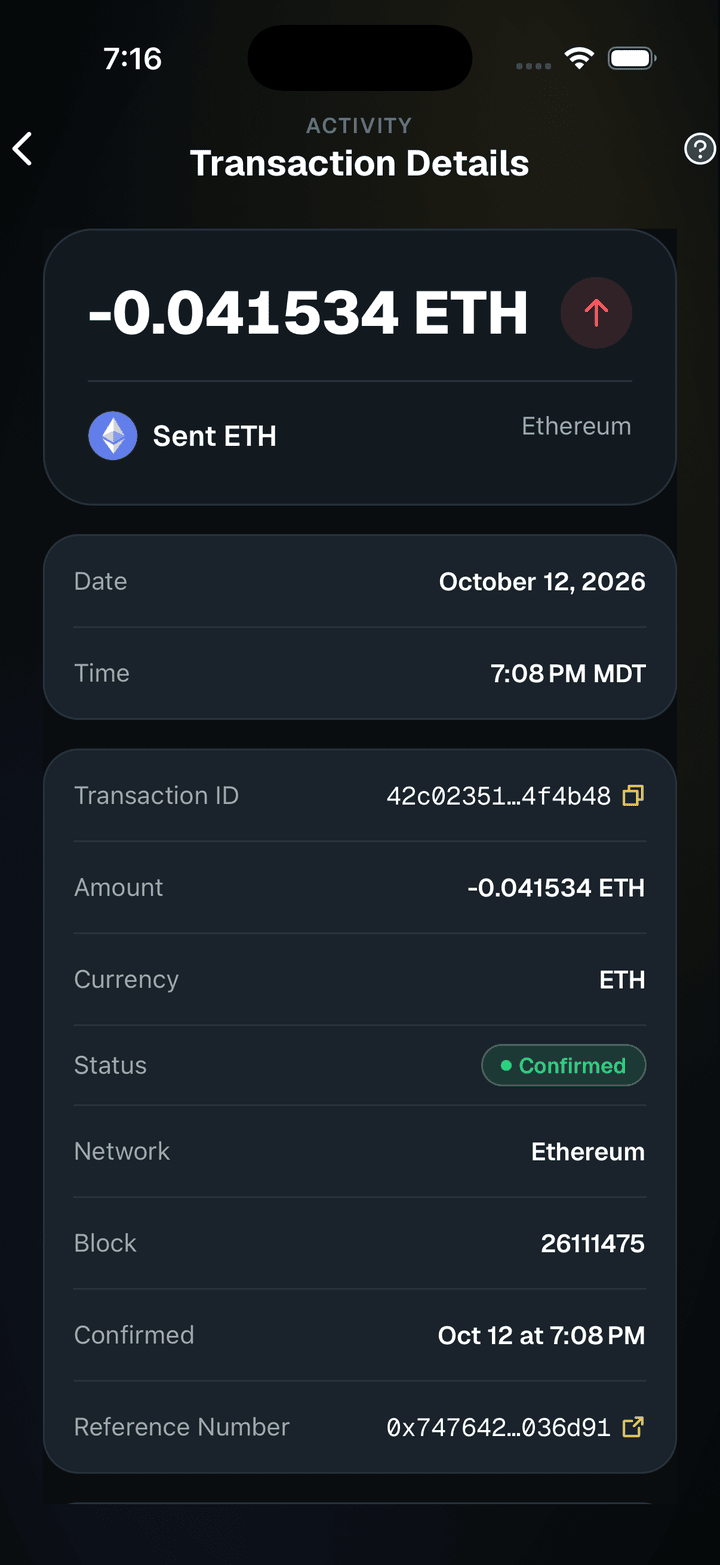
Open the payment in Activity to see its details. Keep the transaction hash handy if a service ever asks for it.
Hold your own keys, keep the yield, skip the middleman.
SpendTheBits is a fully non-custodial wallet for 13 chains, free on iOS and Android.