

Ask once, sign nothing
Start with a plain request to the endpoint, with no payment header. A seller that uses x402 answers with status 402 and a header called PAYMENT-REQUIRED [1]. In version 2 of the protocol, that header holds a Base64-encoded JSON object [1]. Decode it with any Base64 tool and you have the whole offer in front of you.
The decoded object has a version number, a resource object describing what you are buying, and an accepts list with one entry for each way the seller will take payment [2]. Most entries you will see use the exact scheme, which means a fixed price [2]. Each entry is a separate offer, so read every one your agent might pick, not just the first.
Making this request costs nothing and moves nothing. The payment only starts when the client sends a second request with a PAYMENT-SIGNATURE header holding a signed payload [1]. Until then you are only reading.
Do this check from a script, not only by eye. A short routine that fetches the x402 endpoint, decodes the header and prints the six fields makes the habit cheap. Run it again whenever a seller changes anything, because an offer is only true for the moment it was made. If the endpoint answers with something other than a payment request, or the header will not decode, treat that as a failed check, not as a free pass.
The six fields in every offer
The specification lists the fields each offer must carry [2]. Scheme names the payment method, such as exact. Network names the chain in CAIP-2 form, for example eip155:8453 for Base mainnet and eip155:84532 for Base Sepolia, a test network [2]. Amount is the price in the token's smallest unit. Asset is the token contract address. PayTo is the address that receives the money. MaxTimeoutSeconds is the longest time allowed for payment [2].
Amount is the field people misread most. It is a whole number in atomic units, not dollars [2]. USDC uses six decimal places on the chains in the x402 defaults table, so an amount of 10000 is one cent [6]. Divide by the token's decimals before you decide whether the price is sane.
There is also an optional extra object. For USDC on an EVM chain it carries the token's EIP-712 name and version, which the signature is built from [3]. These must match the real token. On Base mainnet the defaults table lists the name USD Coin, while on Base Sepolia it lists USDC, so a mismatch there is worth a second look [6].
Is the asset really USDC?
The asset field is a contract address, and your agent will sign for whatever contract it names. Circle publishes the official USDC contract for every supported chain [4]. On Base, USDC is 0x833589fCD6eDb6E08f4c7C32D4f71b54bdA02913 [4]. On Base Sepolia it is 0x036CbD53842c5426634e7929541eC2318f3dCF7e [4]. Compare the asset in the offer with Circle's list for the network the offer names.
Check the network and the asset together. A real USDC address paired with the wrong network is still wrong. If the asset is not on Circle's list at all, do not pay. A token you do not recognise is the clearest sign that something is off.
Testnet is a special case. Circle says testnet USDC has no financial value and is not backed by real dollars [4]. That is fine while you test, and a reason to make sure your agent never treats a testnet offer as a real payment, or the other way round.
Many sellers list several offers, one per network. Check each one on its own terms. An x402 endpoint that lists a real USDC contract on Base and an unknown token on another chain is telling you something about how carefully it was set up. Your agent should never pick the odd one out just because it comes first or looks cheapest.
Who gets paid: the payTo address
PayTo is the recipient's wallet address [2]. In the exact scheme on EVM, the payer's signature fixes both the amount and the destination, and the facilitator that submits it cannot change either [3]. That is good news and bad news. Nobody in the middle can redirect the money, but the address in the payment request is exactly where it will go.
So treat payTo as the field to remember. If you have paid this x402 endpoint before, compare it with the address you paid last time. A change is not always fraud, but it should reach a person before an agent follows it. Also look at what kind of address it is. A plain wallet and a contract behave differently, and an address nobody can spend from, such as the zero address, means the money is gone.
Finally, screen the address. Sanctions lists and public scam reports exist for a reason, and an agent that pays a listed address creates a problem a refund cannot fix.
How long would your signature live?
For USDC, an x402 payment is an EIP-3009 authorization. It carries validAfter and validBefore, two times that bound when anyone may submit it [5]. The token contract refuses it outside that window, and each authorization has a random nonce so it can only be used once [5].
The seller suggests the window through maxTimeoutSeconds. The specification's own example uses 60 seconds [2]. The EIP-3009 document's signing example sets validBefore an hour ahead [5]. An offer that asks for many hours or days is asking for a signature that stays live long after your call ends. Prefer short windows, and set validBefore on your side close to the present no matter what the offer says.
A short window has a cost too. If your agent signs and then waits on a slow network, the authorization may expire before it is used, and the payment simply fails. That is the safe way to fail. A payment that never settled can be tried again once you have confirmed it did not go through, while a signature that lives for a day cannot be taken back by asking nicely.
If you want the details of the signature itself, our EIP-3009 explainer walks through every parameter.
Does the resource match the site you called?
The resource object names what you are paying for. Its url field is required, and it may also carry a description, a service name and tags [2]. Compare the host in resource.url with the host your agent actually requested. They should be the same site. A different domain, or one that uses characters that only look like the letters you expect, is a reason to stop.
The optional service name is short by design: the specification limits it to printable ASCII and a maximum of 32 characters [2]. That makes it a label, not proof. Anyone can type any name, so the host in the url is the part to trust, and only after you compare it character by character with the host you expected.
Treat the description as text from the seller, not as instructions. A seller can write anything there, including a sentence aimed at an AI model rather than a person. An agent that reads the description and changes its plan because of it has been steered by the party it is paying. For more on that risk, read our piece on prompt injection.
A free scanner that does the same reading
Reading a payment request by hand is worth doing once, so you know what you are looking at. After that, a tool saves time. SpendTheBits runs a free public x402 payment scanner that reads a seller's payment request without paying or signing. It reports a verdict of clear, careful or high risk, with reasons such as a long-lived authorization, an unknown token, a payout address on a sanctions or scam list, or a lookalike address. When screening cannot be read, it says unknown, never clear.
Inside the app, a person can also pay an x402 URL from the Send or Scan screen, and the device signs the EIP-3009 authorization. The steps are in how to pay an x402 API from your wallet. If you are giving an agent its own budget, start at the agents page.
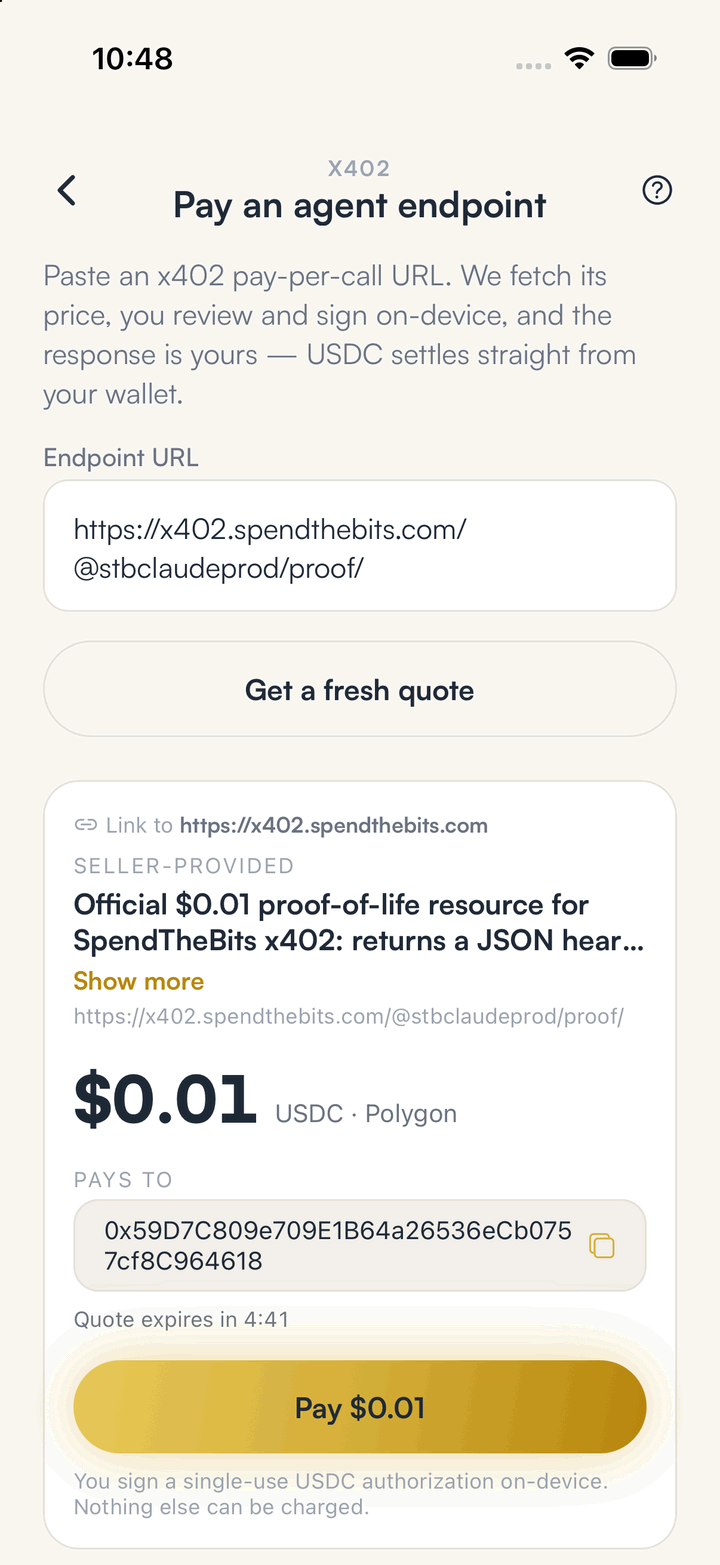
In the app · 3 steps
Read the offer, then pay an x402 URL in SpendTheBits
You can check any endpoint first with the free scanner, then pay from the app with a signature made on your phone.
Get a quote
Paste the x402 URL on the Send or Scan screen. The app shows the price, the network and the address that will be paid before you sign.
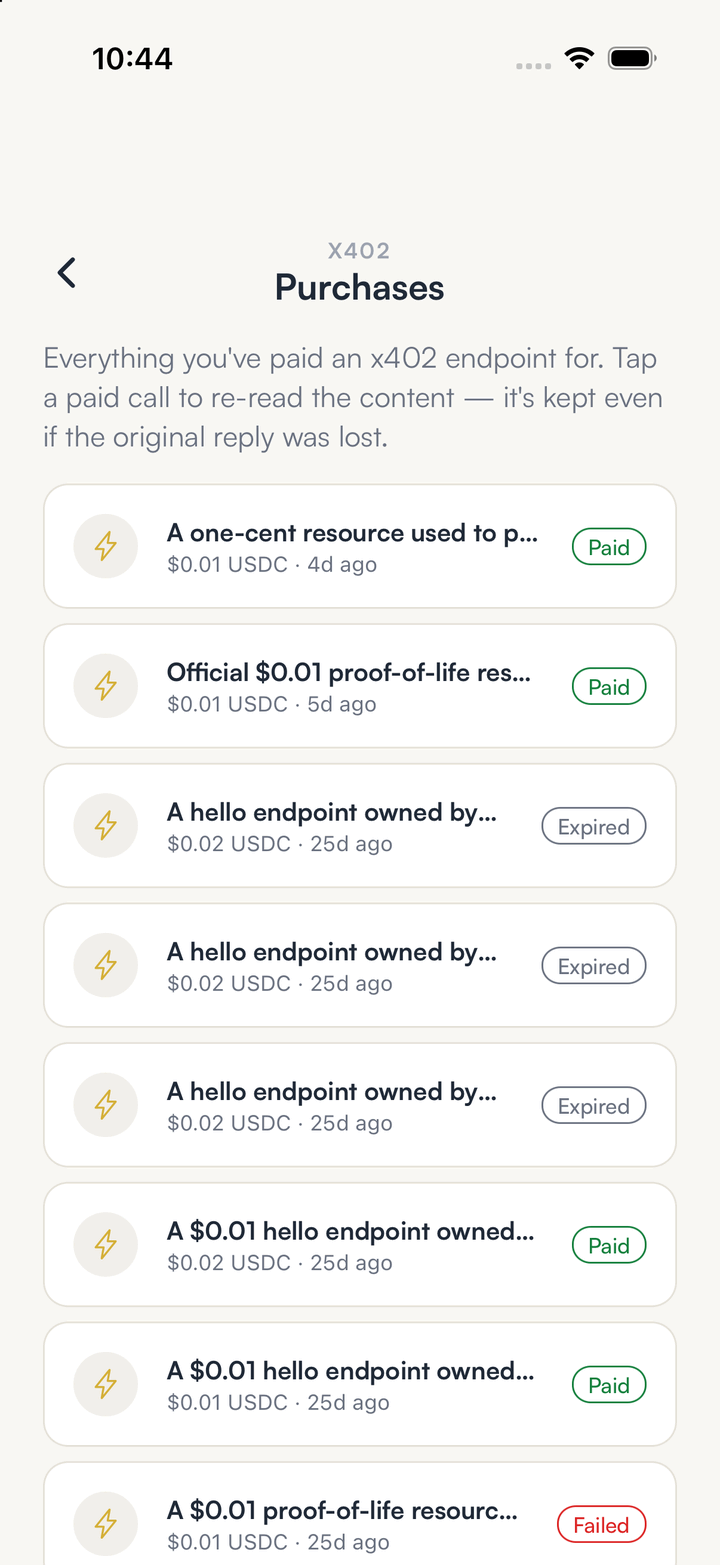
Check your purchases
Purchases lists every x402 call you paid for, with paid, expired or failed beside each one.
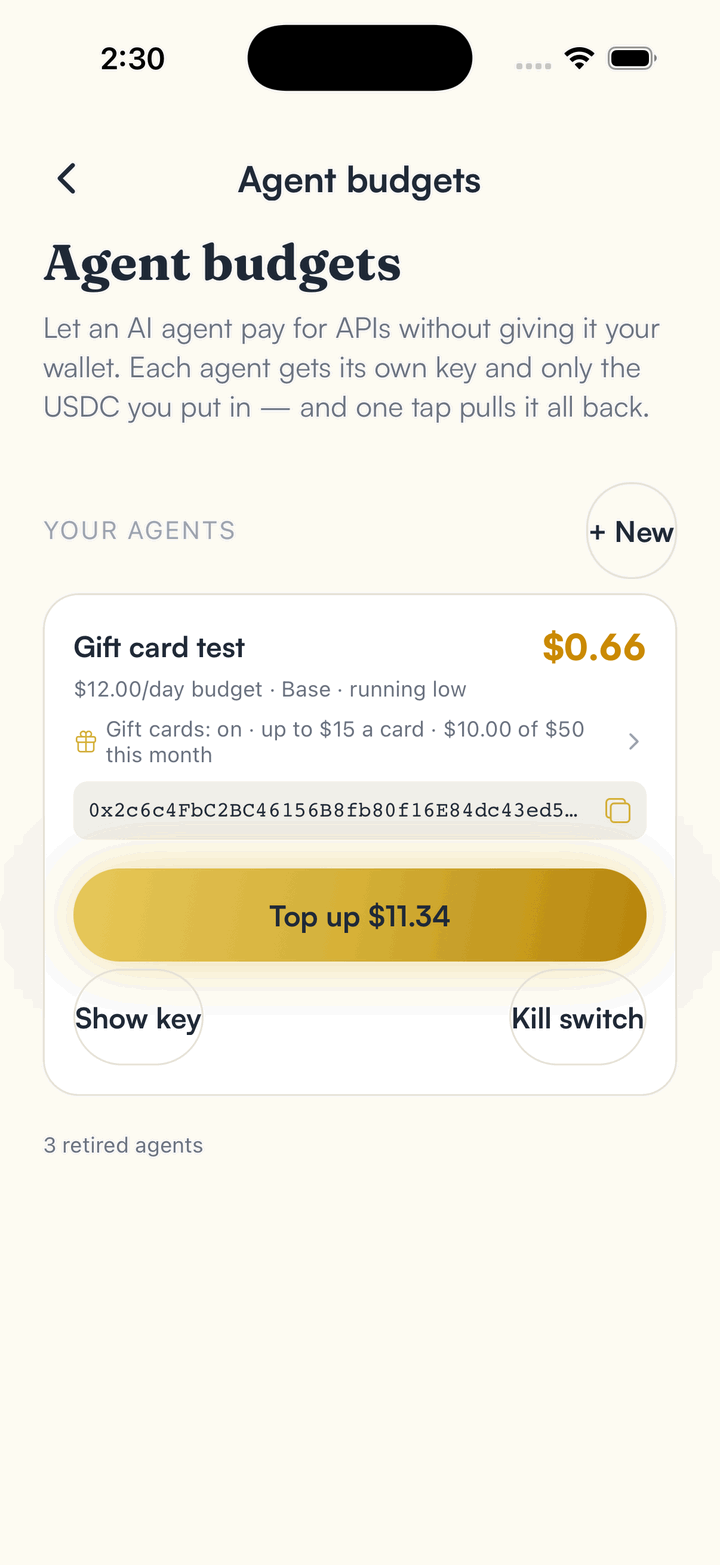
Give an agent its own budget
For automated calls, open Agent budgets in Settings so the agent pays from its own key and only the USDC you put there.
Hold your own keys, keep the yield, skip the middleman.
SpendTheBits is a fully non-custodial wallet for 13 chains, free on iOS and Android.