
Two specs stacked on top of each other
A Lightning address is defined by a short spec called LUD-16 [1]. It takes the form username@domain, and the username may use lower-case letters, digits, dashes, dots and underscores [1]. That is the whole visible part.
The work happens one layer down. When you paste the address into a wallet, the wallet turns it into a web request to a fixed path on that domain, under .well-known/lnurlp [1]. The server must answer in exactly the way an older spec, LUD-06, lays out for a pay request [1][2]. So every address is really a friendly name for an LNURL-pay endpoint.
That first answer is not an invoice yet. It is a small menu: a callback link, the smallest and largest amounts the receiver will take, and a block of metadata that must include a plain text line [2]. Amounts are given in millisatoshis [2]. The payer picks an amount, calls the callback, and only then gets a real invoice back to pay [2].
This split is what makes the address reusable. A normal invoice is single-use and carries a fixed amount. The address is a door that mints a fresh invoice each time someone knocks.
Why a phone cannot answer while it sleeps
Somebody has to answer that knock. The request arrives over the web at the moment the payer hits send. A server that is always online can reply in a heartbeat. A phone cannot.
Phones are built to sleep. Apps are frozen in the background, radios drop out, and nobody leaves a wallet open all day to wait for a tip. If the payer's wallet has to reach your phone directly, the payment fails whenever your screen is dark.
This is why many early Lightning addresses were custodial. A company ran the server, held the funds, and simply credited your account. It worked well and it was easy to build. But the company held the money, which is the very thing a self-custody wallet exists to avoid.
So the design question for a phone wallet is narrow. Can a server answer the payer without ever holding the funds or the keys? The answer turns out to be yes.
A server that answers but never holds
The trick is to separate answering from owning. A hosted server can reply to the payer's wallet and return an invoice. That invoice pays into the user's own wallet, not into an account the server controls.
Breez offers exactly this for apps built on its Spark SDK [7]. An app registers a username for the user, and the address then lives on the app's domain [7]. The domain can point at Breez's hosted LNURL server, or the app can run its own [7]. Breez describes the SDK as non-custodial, with keys only held by users [8].
Spark adds a second safety net. Before funds go in, the user and the Spark operators create a pre-signed exit to the Bitcoin base chain [9]. If the operators vanish or refuse to cooperate, the owner can broadcast those exits and claim the funds after the timelocks expire [9]. Nobody in the middle can quietly keep the money.
This is how a self-custody Lightning address works in practice. The server is a receptionist that takes messages and hands out invoices. It is not a bank, and it never has the key to the vault.
The description hash, and a rule that changed in May
Every Lightning invoice has to say what it is for. The invoice format, BOLT 11, requires exactly one of two fields: a short text description, or a SHA-256 hash of a longer one [5]. LNURL-pay used the hash form. For years, LUD-06 told the payer to check that the invoice's hash matched the metadata from the first answer.
That rule was removed. Pull request 234, merged on 30 May 2026, dropped the check from LUD-06 and LUD-18 [3]. The argument was that neither piece of data is secret, so a man in the middle could change both [3]. The check also made invoices hard to build on some node software [3].
The catch is that some payer wallets still run the old check. The same discussion notes that senders who kept enforcing it began blocking payments to receivers that had dropped the hash [3]. So a receiver that still sets a matching hash works with old and new payers alike.
On 18 September 2026 we tested this on our own address. The invoice from its callback carried a description hash equal to the SHA-256 of the metadata. It also carried a LUD-21 verify link, which lets anyone check later whether the invoice was paid [4]. That is the most compatible shape an address can serve today.
What the hosted server can see
A hosted address is not custody, but it is not invisible either. Be clear about what you give up.
First, privacy. The server sees each request for an invoice: the amount asked for, the time, and any comment the payer adds. It learns how often you get paid and roughly how much. It cannot move your funds, but it does hold a record of your incoming requests.
Second, uptime. If the server or the domain goes down, payers cannot reach you by address. Your money is safe in your wallet, but new payments stall until the server is back. A plain invoice from the app still works in the meantime.
Third, control of the name. Whoever runs the domain decides which usernames exist. Breez notes that an address can be handed to a new owner key in a single step [7]. That is useful when you change phones, and it is a reason to pick a provider you trust with your name.
How SpendTheBits sets it up
In SpendTheBits, every @handle gets a Lightning address of the form handle@pay.spendthebits.com. It is served by Breez's hosted LNURL service for your own Breez Spark wallet. The app registers it for you the first time you open Lightning on an up-to-date version. There is nothing to type and no server for you to run.
Payments reach you while your phone is off. They land in your Lightning balance, which is kept apart from your on-chain bitcoin. Receiving over Lightning carries no SpendTheBits fee. Lightning in our app runs on Bitcoin mainnet only.
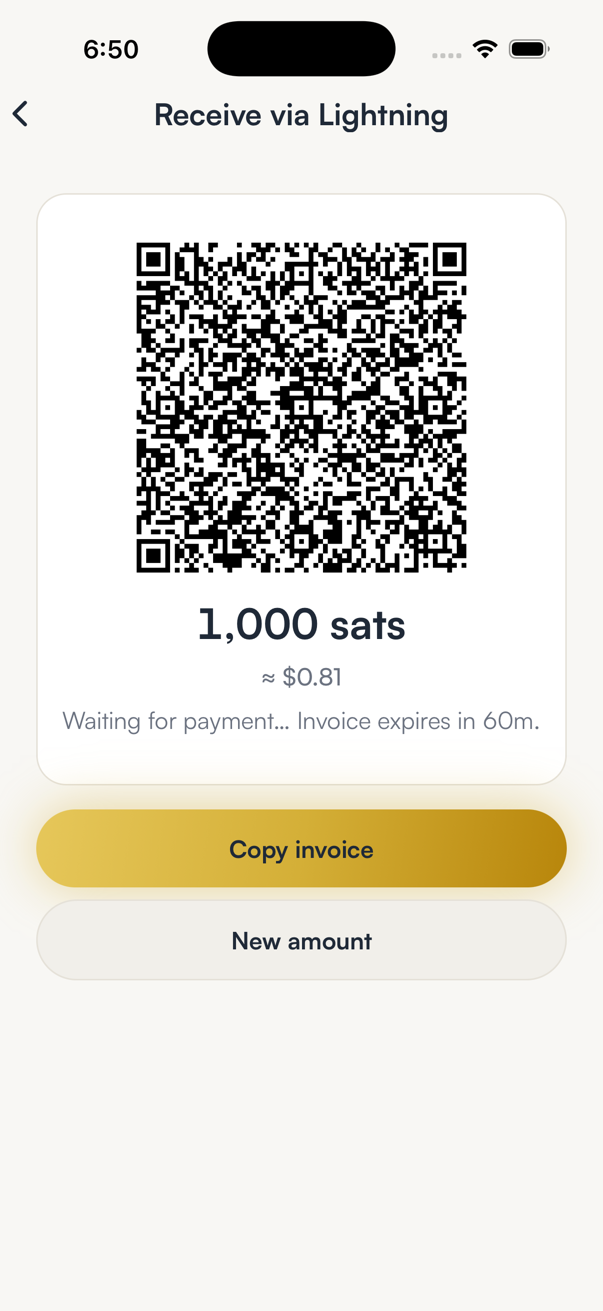
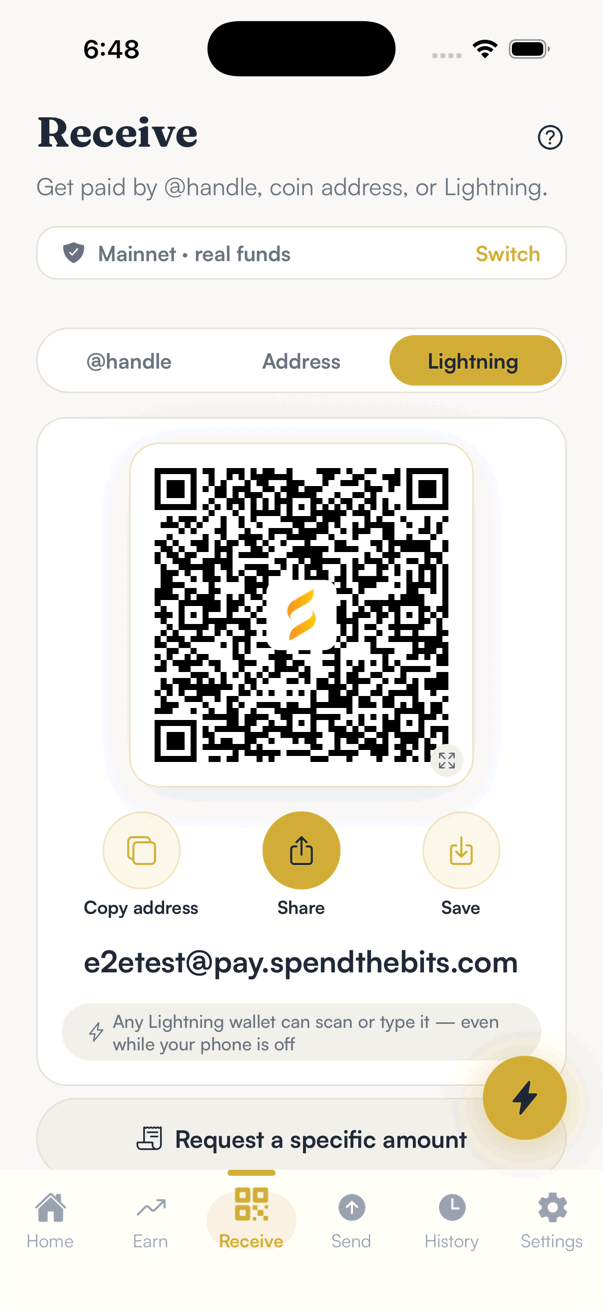
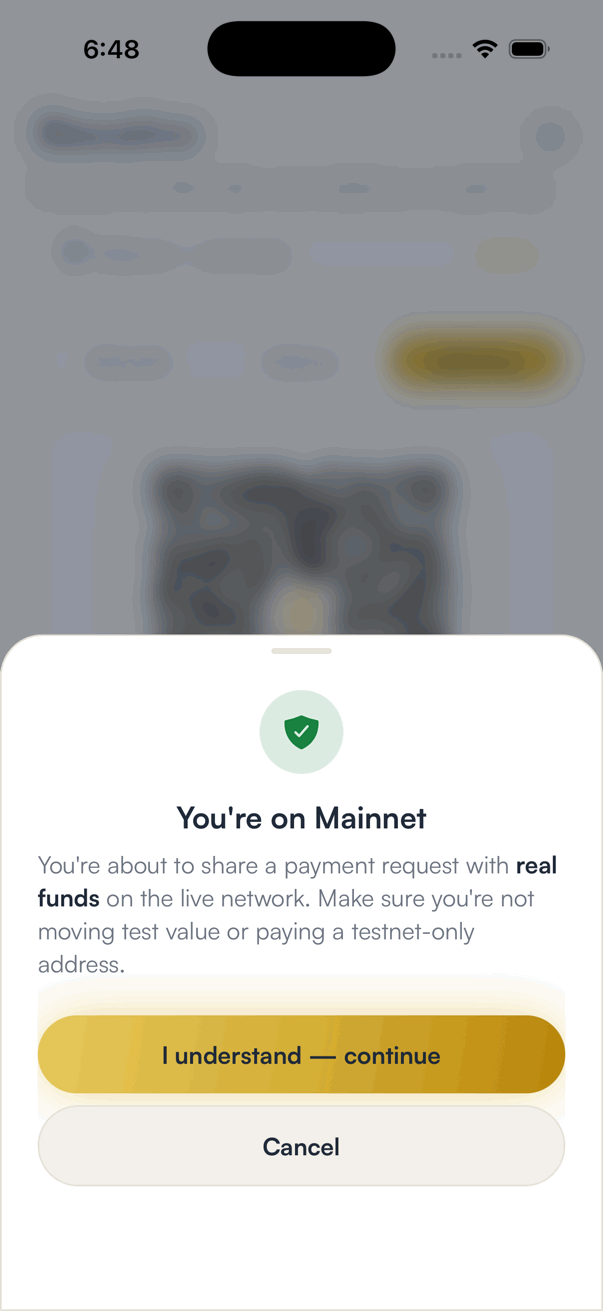
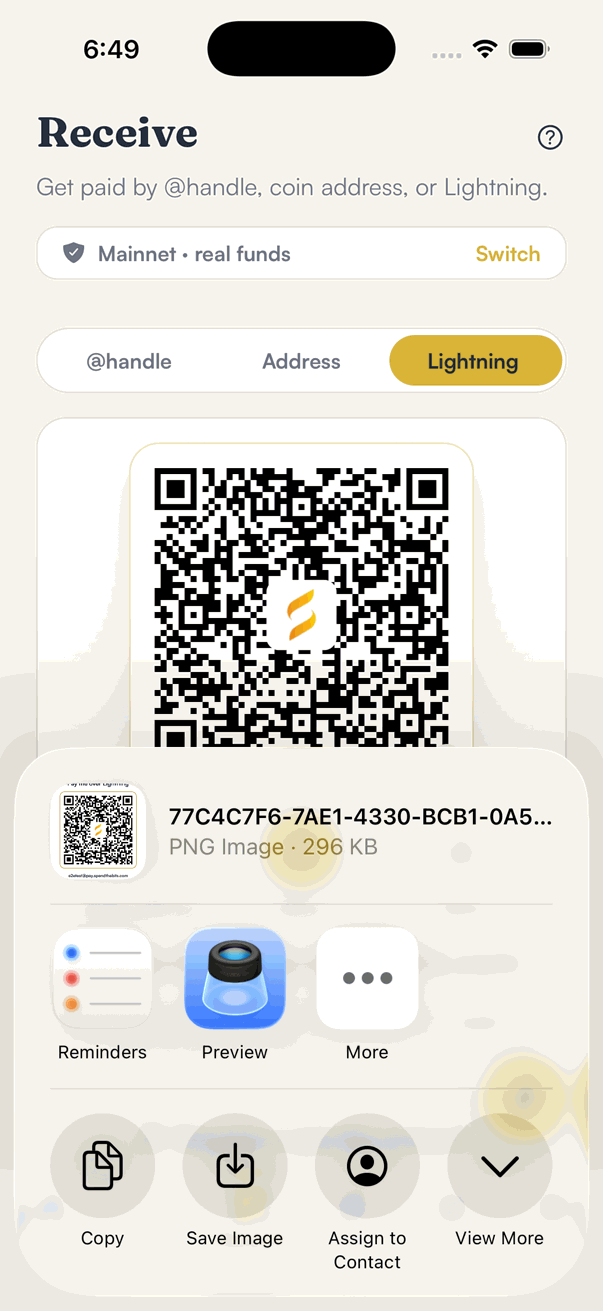
To find the address, open Receive and pick Lightning. You get a QR code with Copy address, Share and Save below it. Share sends the QR as an image, after a one-time reminder that you are on mainnet. For a set amount, use a Lightning invoice instead. To send the other way, see paying over Lightning.
Five questions for any wallet's address
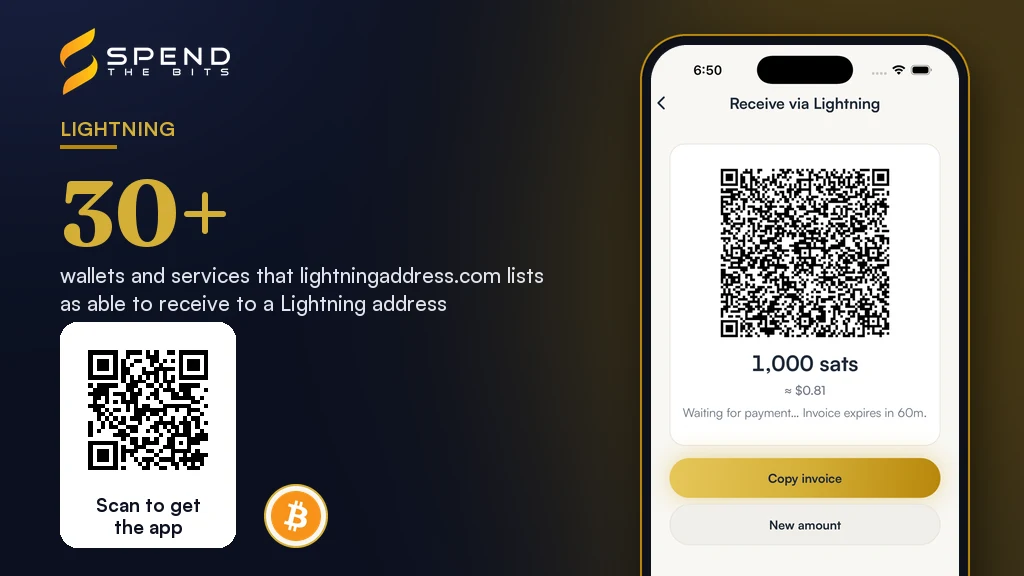
Lightning address support is now common. The spec site lists more than 30 wallets and services that can receive to one [6]. Public Lightning is large too, with about 16,230 nodes on 30 August 2026 [10]. So you have options, and these questions sort them fast.
One: who holds the keys? If the provider can spend your balance, it is custodial, however smooth it feels. Two: does it work while your phone is off? If not, payers will hit errors at random. Three: does the invoice carry a matching description hash? If not, some strict payers will refuse it.
Four: whose domain is it, and can you move the name? A name you cannot take with you is a name you rent. Five: what does the provider log? Read the privacy terms for the server, not just the app.
A self-custody Lightning address that passes all five is the best of both worlds. It is as easy to share as an email, and it pays a wallet only you control. For how the Lightning rail compares to on-chain on cost and speed, read our Lightning vs on-chain breakdown. For the wider picture, see the SpendTheBits wallet.
In the app · 4 steps
Share your Lightning address from SpendTheBits
Your address is ready as soon as you have an @handle. Here is how to find it, share it and see what a payer sees.
Open Receive → Lightning
Your address appears as a QR code with Copy address, Share and Save underneath, and spelled out as handle@pay.spendthebits.com.
Confirm you are on Mainnet
The first time you share, the app reminds you this is the live network with real funds, so a test address never goes out by mistake.
Share it anywhere
Share sends the QR as an image with the address printed under it, so it works in a chat, an email or a printed sign.
What a payer sees
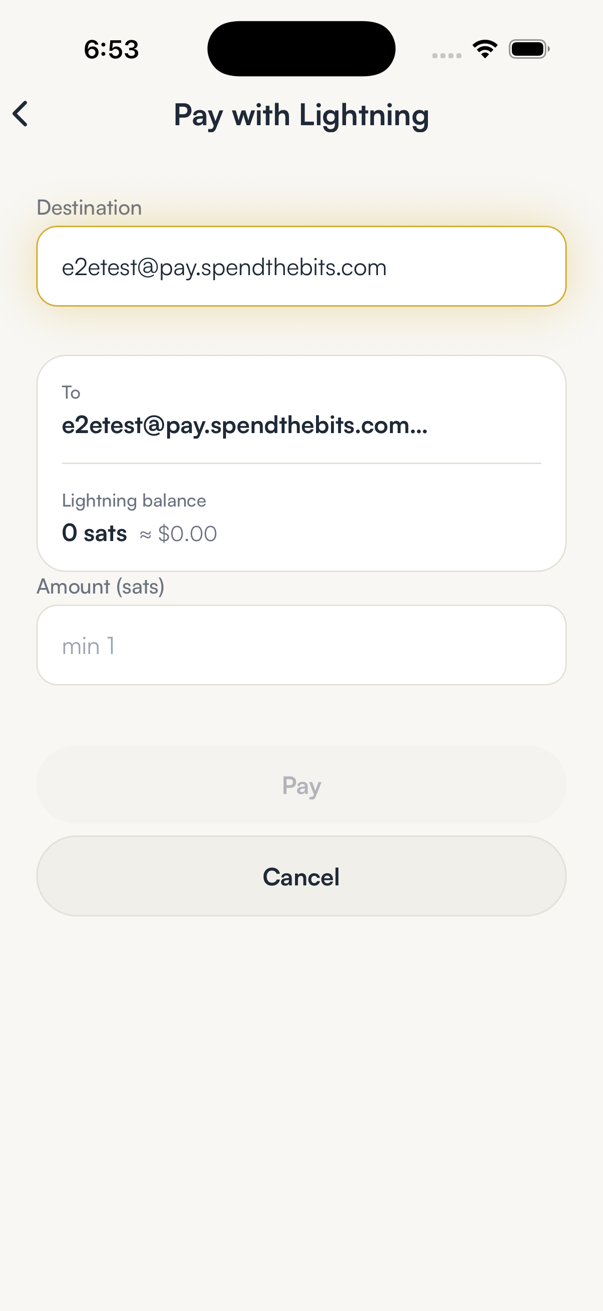
Any Lightning wallet can pay the address, even while your phone is off. In SpendTheBits, typing it into Pay shows who is being paid and asks for an amount.
Hold your own keys, keep the yield, skip the middleman.
SpendTheBits is a fully non-custodial wallet for 13 chains, free on iOS and Android.