

What a cap sees, and what it cannot
In x402, a seller that wants payment answers with a list of accepted options. Each option names a scheme, a network, an amount in atomic token units, a token contract called the asset, a payout address called payTo, and a maximum time for payment [3]. A cap reads one of those fields. The other fields carry just as much risk.
The protocol itself leaves this work to you. The x402 specification lists client-side budget management as out of scope [3]. The reference client offers spend controls that run before any custom policy and before the payload is signed, and it points builders to a hook that runs before a payment is created for anything interactive, such as asking a person [2]. That hook is where the checks below belong.
Think of the checks as questions about context. The amount is a number in the request. Whether that number is normal, whether the address belongs to this seller, and whether you already paid for this exact thing are facts about history. A cap has no history, so it cannot answer them.
Checks one and two: a new seller, an odd price
The first check is the simplest. Has the owner, or this agent, ever paid this seller before? A first payment is not wrong, but it is where most mistakes happen, because there is nothing to compare against. A sensible policy treats a first-time seller as something to show a person, or at least to log, rather than something to pay in silence.
The second check compares the price with that seller's own history. Agents often call the same endpoint many times. If a call that usually costs a cent suddenly asks for fifty cents, the cap may still allow it, yet the jump is the signal. Keep a running record of what each seller normally asks for, and flag any request far above its usual level.
Both checks need memory, which is why they live outside the protocol. The request tells you the amount and the payout address [3]. Your own records tell you whether either one is new.
Check three: the payout address changed
This is the check that saves real money. A seller you trust is identified in your head by its web address. The payment, though, goes to payTo, the address inside the request [3]. If that field quietly changes, every later payment goes to someone else while the site still looks familiar.
The x402 docs say this plainly for retries: when terms such as the scheme, network, amount, asset or payTo change, re-run your payment policy checks or ask the user for approval [1]. Apply the same rule every day, not only on a retry. Store the payout address you last paid for each seller. If a new request names a different one, stop and ask.
There can be honest reasons for a change, such as a seller moving to a new wallet. That is fine. The point is that a person sees it once and agrees, instead of an agent following it without a word. For more on spending limits that sit on the chain itself, see our guide to agent wallet spending limits.
Checks four and five: lookalike hosts and repeats
A lookalike host is a web address built to pass a quick glance. The Unicode security standard explains the problem: a machine can tell any two character strings apart, but people can struggle when an application allows characters that look the same, so they may think they are dealing with one service when another is spoofing it [5]. An agent that reads a link from a web page or an email is exposed to the same trick, often with even less judgement.
The payment request names the resource it is for in its resource field [3]. Compare that host with the host the agent meant to call, and flag mixed scripts or characters that are easy to confuse. If the names do not match, do not sign.
Repeats are the fifth check. Each EIP-3009 authorization carries a unique random nonce, and the token contract refuses to use the same nonce twice [4]. That stops the same signature being spent twice. It does not stop your agent from signing a second, fresh payment for something it already bought. The x402 docs warn that after a payment header has been sent, the outcome should be treated as unknown and a second payment should not be created automatically [1]. A duplicate check, keyed on the seller, the resource and a short time window, catches the agent that loops.
Check six: how long the signature lives
Under EIP-3009, a payer signs a transfer that someone else submits. The signature carries two times, validAfter and validBefore, so the payer controls the window in which it can be used [4]. Inside that window, anyone holding the signature can submit it. Outside it, the token contract refuses.
The seller suggests the window through maxTimeoutSeconds, the maximum time allowed for payment [3]. The specification's own example uses 60 seconds [3]. A seller that asks for an hour or a day is asking for a signature that stays useful long after the call is done. The specification lists time windows as one of its defences against replay, because they limit how long an authorization lives [3].
A good rule is to set validBefore yourself, close to now, whatever the seller asks for. If a seller insists on a long window, treat that as a reason to pause. For the full anatomy of the signature, read our EIP-3009 explainer.
Turning checks into a decision
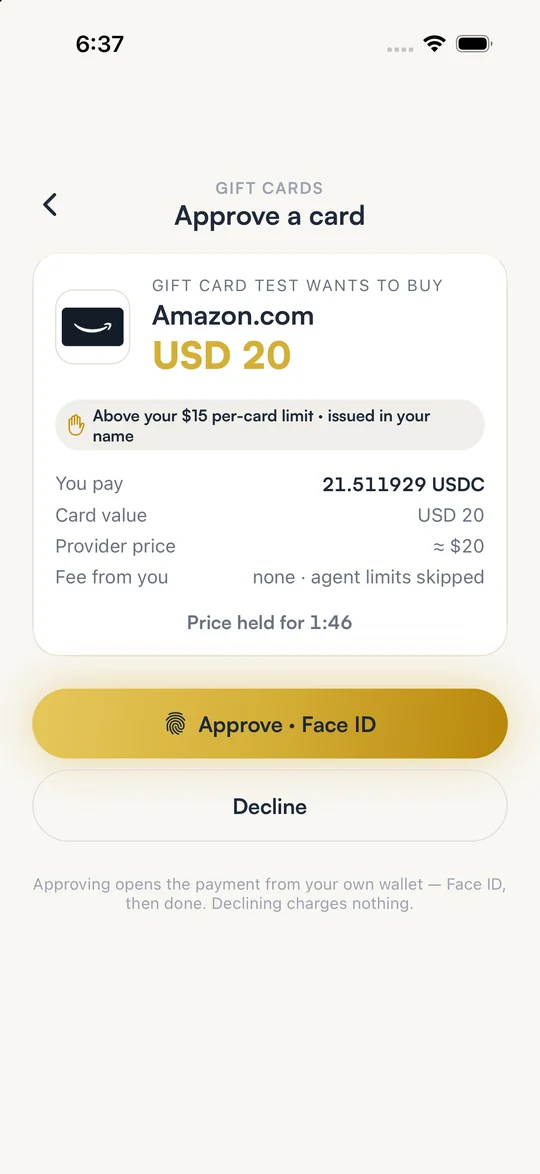
Each of these AI agent payment checks gives you a reason, not a verdict. The useful design is three outcomes: allow, ask a person, or block. A known seller at a normal price with an unchanged address and a short window can pass. A first-time seller might go to a person. A lookalike host or a changed payout address on a large payment might be blocked outright. Write down which outcome each reason leads to, so the agent behaves the same way every time.
Record every decision, including refusals. When something goes wrong, the question is never only what was paid but also what the agent was told and why. A log of refused requests also shows you when an agent is being targeted, because a burst of blocks is itself a signal.
Finally, remember the cap still matters. The checks above reduce mistakes inside the limit. The limit decides the worst case when every check is fooled. Keep both, and test them the way you test any other code.
How SpendTheBits runs these checks
SpendTheBits is a self-custody wallet, and it runs the six checks above for agents that ask it first. Before an agent's request reaches the owner, SpendTheBits checks it for a seller the owner has never paid, a price far above that seller's usual price, a payout address that changed, a lookalike web address, a duplicate request and a payment authorization that stays valid too long. The owner chooses whether an unusual request is shown to them or blocked. Owners can also block sellers and set a limit per seller for each agent.
Every answer is written to the owner's Agent activity record, allowed, waiting for the owner, or blocked, with the rule that decided, and refused requests are recorded too. Be clear about the limits. The budget rules are cooperative: they apply when the agent checks a payment with SpendTheBits first, and an agent that skips the check is limited only by the USDC at its address. That balance is the hard limit, because each agent has its own key and only the USDC the owner chose to put there.
If you are setting up a first agent, start with the agents page, then read how to let an AI agent buy a gift card for a worked example with an approval step.
In the app · 3 steps
Put an agent's payments behind checks in SpendTheBits
Agent budgets live in Settings. Here is the path from a new agent to seeing every decision it got.
Create an agent budget
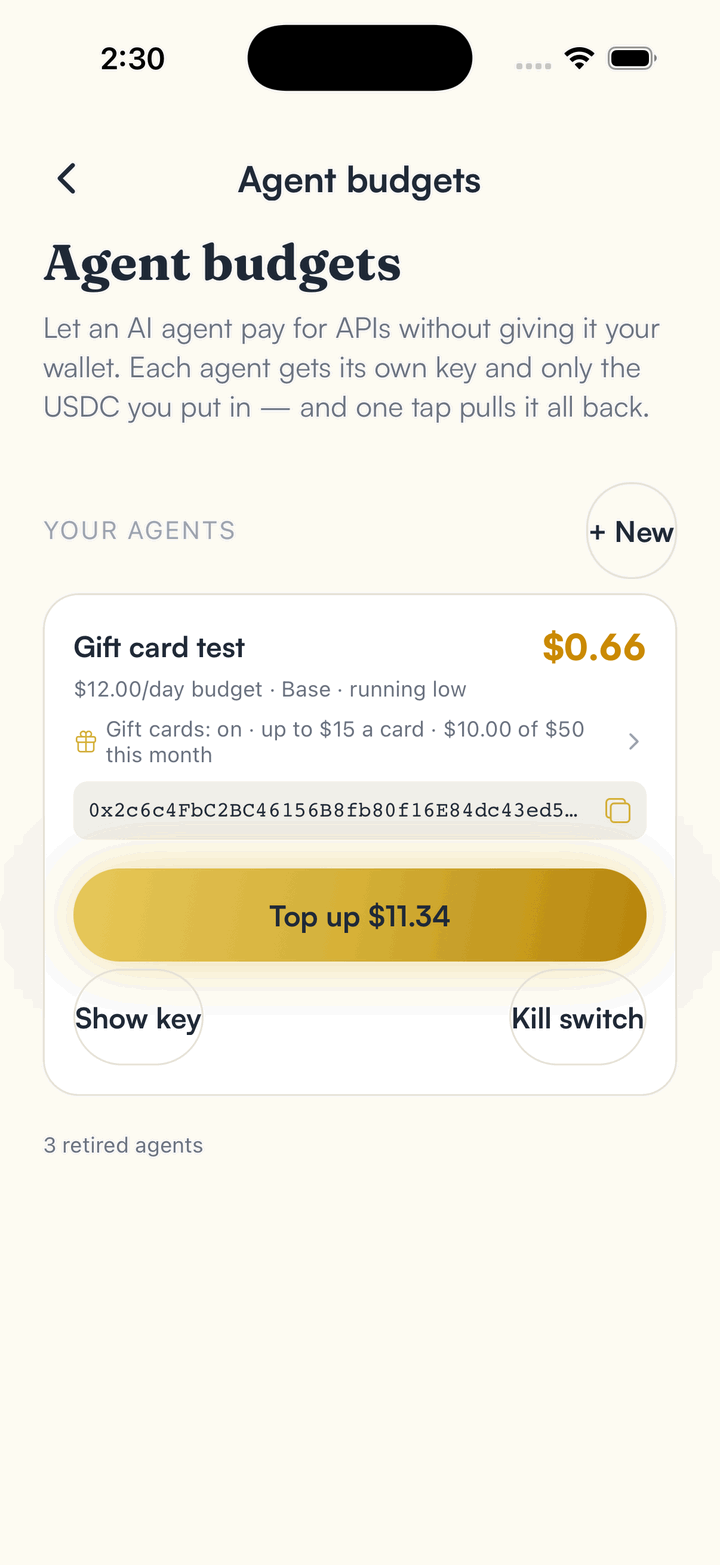
Open Settings, then Agent budgets, and tap New. The agent gets its own key and only the USDC you put at its address.
Decide what unusual means
Choose whether an unusual request, such as a new seller or a changed payout address, is shown to you or blocked. Add a limit per seller if you want one.
Read what the agent was told
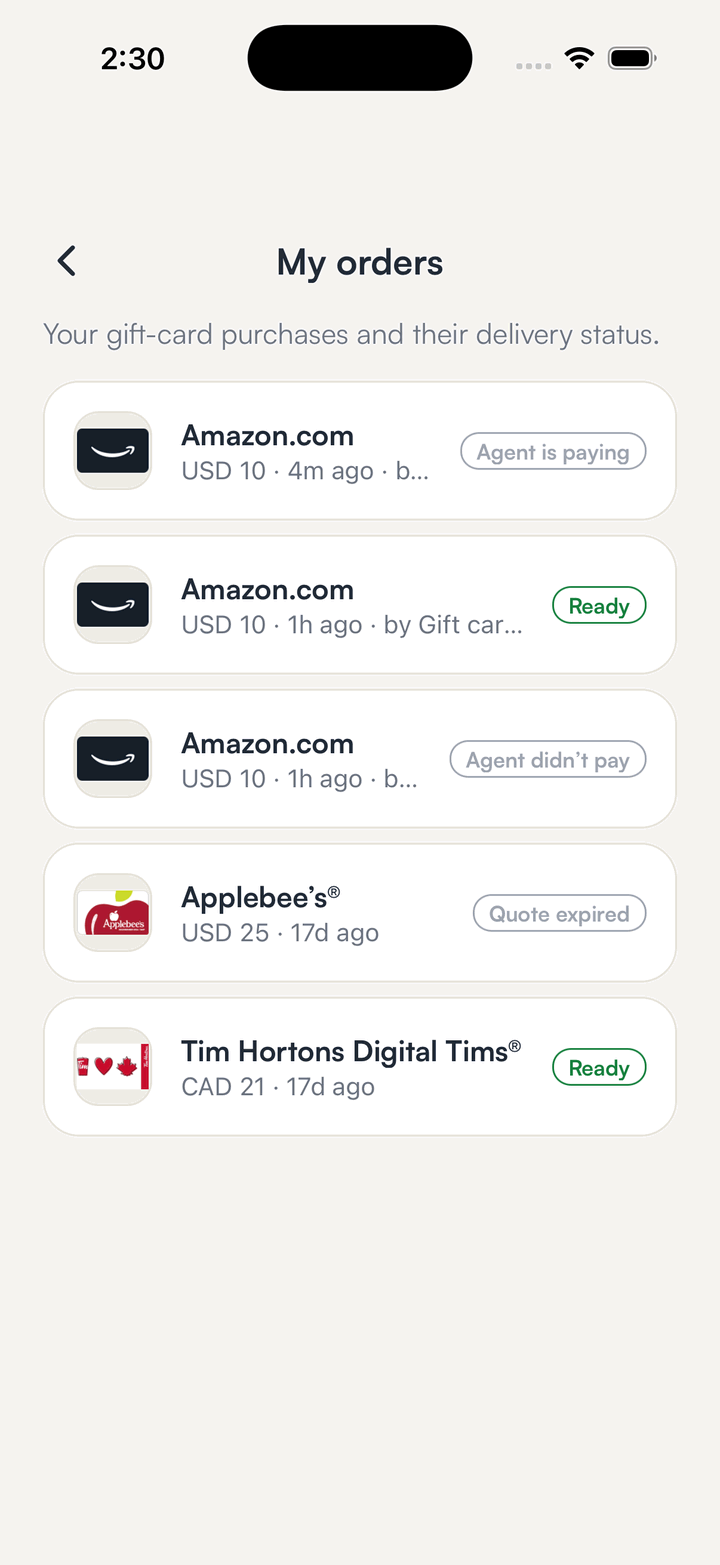
Agent activity lists every answer: allowed, waiting for you or blocked, with the rule that decided. Orders show what the agent actually paid for.
Hold your own keys, keep the yield, skip the middleman.
SpendTheBits is a fully non-custodial wallet for 13 chains, free on iOS and Android.