

Share an address or a payment request?
The simplest way to get paid is to send your client a wallet address. It works, but it leaves everything else to the payer: the amount, the chain and the token are all typed by hand. Each manual step is a place for a typo. A single wrong character in an address can send money somewhere you cannot reach. To get paid in USDC with fewer typos, send a payment request instead: a standard URL format that opens the payer's preferred wallet with the payment set up, only to be confirmed by the user [1].
The Ethereum standard for this, ERC-681, defines a URL that can sit inside a QR code, a link or a chat message and open the payer's wallet with the right fields filled in [1]. For a token like USDC, the URL asks the wallet to call the token's transfer function with your address and the amount in the token's smallest units [1]. It can also carry a chain ID, so the payer's wallet knows which network you mean [1].
One detail matters for trust: the amount in such a URL is only a suggestion, and the payer can change it [1]. So always check what actually arrived, not what the link asked for. On SpendTheBits, the Receive screen shows your own address as a QR code with copy and share buttons, and you can request a specific amount. On Ethereum-style chains the QR then names the asset and the chain using the EIP-681 format. Payment requests are shareable links that the person paying confirms, and they never hold your money.
Choosing a chain your client can actually use
Stablecoins live on many blockchains, and a payment is only useful if it lands on the one you expect. Before you quote a price, ask your client which network their wallet or company account supports. Then tell them yours in plain words, in the invoice and in the message. Do not rely on a QR code alone, because some formats cannot name the asset safely, and in that case the QR keeps the bare address and the amount is shown in words.
Cost is the next filter. On Arc, a network run by Circle, all fees are paid in USDC, and the design target is about $0.001 for one ERC-20 transfer under normal load [2]. In our own production test on 18 September 2026, a USDC send on Arc cost about 0.001 USDC in network fee. That means a freelancer is not forced to hold a second coin just to move earnings. Arc mainnet is live in SpendTheBits for everyone on an up-to-date app, so you can hold and send USDC there.
If a client can only pay on a different chain, you are not stuck. You can accept the payment where it arrives and move it later. For more on that choice, see our guide to when to move USDC between chains, and our note on native versus bridged USDC, which explains why the kind of coin you hold matters.
Confirmations, wrong networks and irreversible sends
A blockchain payment is final in a way a card payment is not. ERC-681 itself warns that irreversible transactions can start from a URL, and that changing either the recipient or the amount can be a profitable attack [1]. The standard says users should only act on URLs that come from sources they can authenticate [1]. For you, that means sending your payment link through a channel the client already trusts, not through a forwarded email chain.
The most common freelancer mistake is a wrong-network send. A client pays on a chain you did not name, and you do not see it where you look. The fix is a habit: ask for a small test payment first, then the full amount once you confirm it arrived. Before a send goes out, the SpendTheBits Send screen warns when it is the first time sending to that address, and when a first payment to a new address is a large amount it suggests a small test send first.
Fake tokens are a second risk. A scammer can send a token that looks like USDC but is not. SpendTheBits quarantines unknown inbound tokens so a fake one cannot pose as a real balance. It also hides tiny look-alike transfers that try to poison your history. Our piece on the address poisoning scam explains how that trick works and why copying addresses from history is risky.
What it costs to receive, hold and move USDC
Receiving a payment usually costs the receiver nothing. The sender pays the network fee, so your client sees the cost, not you. Costs show up when you move the money. On Arc, gas is paid in USDC, and the fee market uses a model with a floor and a ceiling, so costs stay bounded [2]. Arc's docs set the minimum base fee at 20 Gwei and the maximum at 20,000 Gwei [2].
Moving money between chains has its own cost. Circle's Cross-Chain Transfer Protocol, known as CCTP, moves native USDC by burning it on one chain and minting it on another, without a traditional bridge liquidity pool [3]. Circle lists a Fast Transfer option of about 8 to 20 seconds and a Standard Transfer of 15 to 19 minutes on Ethereum and its layer-2 chains [3]. The SpendTheBits bridge uses CCTP: your device signs the burn, and the relayer pays the gas for the mint on the other side.
In our production test on 18 September 2026, a Polygon to Arc bridge completed in about one minute. SpendTheBits charges a small bridge fee, under 1%, shown before you confirm. Sends on EVM chains above a minimum carry a small send fee, and smaller sends are free. Network gas is separate and goes to the network. Our guide on USDC transfer fees breaks these layers down, and the bridge page shows the steps.
Keeping records the tax office will accept
In the United States, the IRS treats digital assets as property, not currency, and it names stablecoins among its examples [4]. If you get paid in USDC for work, that counts as receiving a digital asset as payment for services, and you must answer Yes to the digital assets question on your tax return [4]. Payments you receive as an independent contractor go on Schedule C [4]. This is general information, not tax advice, and rules differ by country.
The IRS asks you to keep records that document how you received, sold or otherwise disposed of each asset, plus the fair market value in U.S. dollars of anything received as income or as payment in the ordinary course of a trade or business [4]. For each transaction, the details that matter are the type of asset, the date and time, the number of units, the dollar value at that time, and the basis [4]. A spreadsheet of invoices is a start, but wallet history is the source.
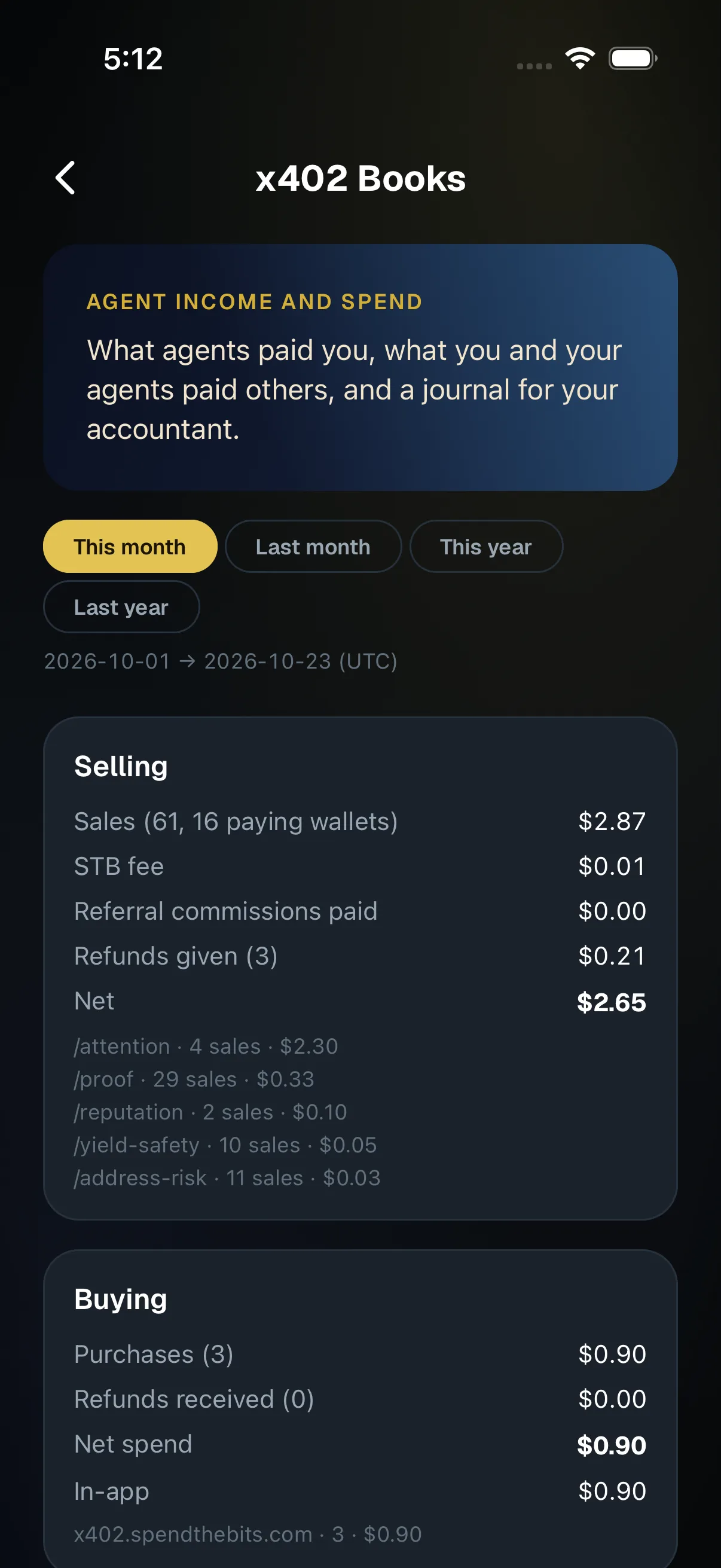
SpendTheBits has a tool for this: CFO Books turns the public ledger into FIFO or HIFO cost-basis lots, realized and unrealized profit and loss, and a QuickBooks or Xero general-journal export. For a deeper look, read our comparison of FIFO and HIFO and the help article on exporting crypto transactions for taxes. Books are built from public records only and cover mainnet; they are not tax advice.
Turning one-off payments into a smoother routine
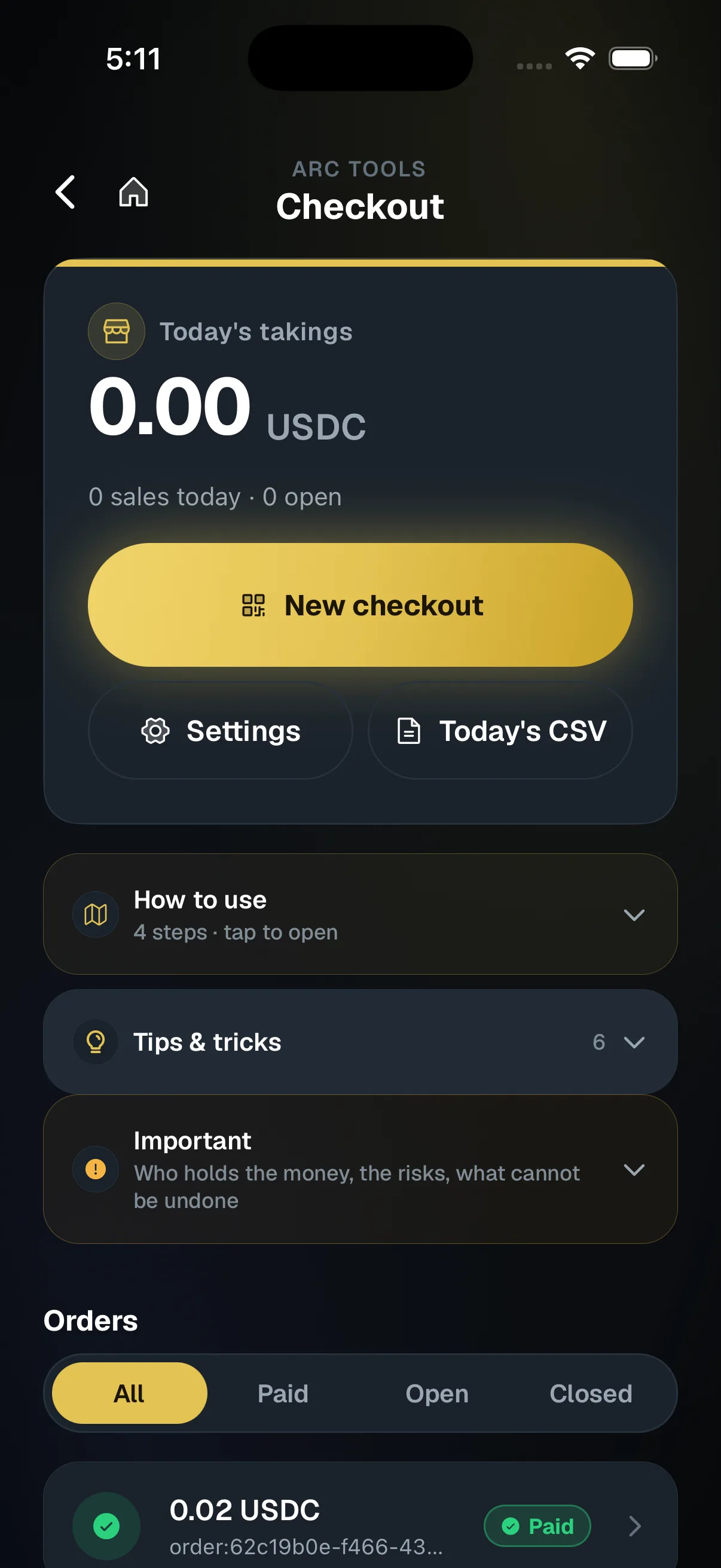
Once the basics work, a few extra features can save time. Arc Checkout lets a seller type an amount on their phone and show a QR code. The customer pays USDC on Arc from any wallet, and the screen shows Paid about a second after the payment lands. Each checkout adds a few millionths of a dollar to the amount so a payment matches its order on its own. Sales are paid into the seller's own address through a payout contract nobody owns, and SpendTheBits never holds the money. A sale is final on chain.
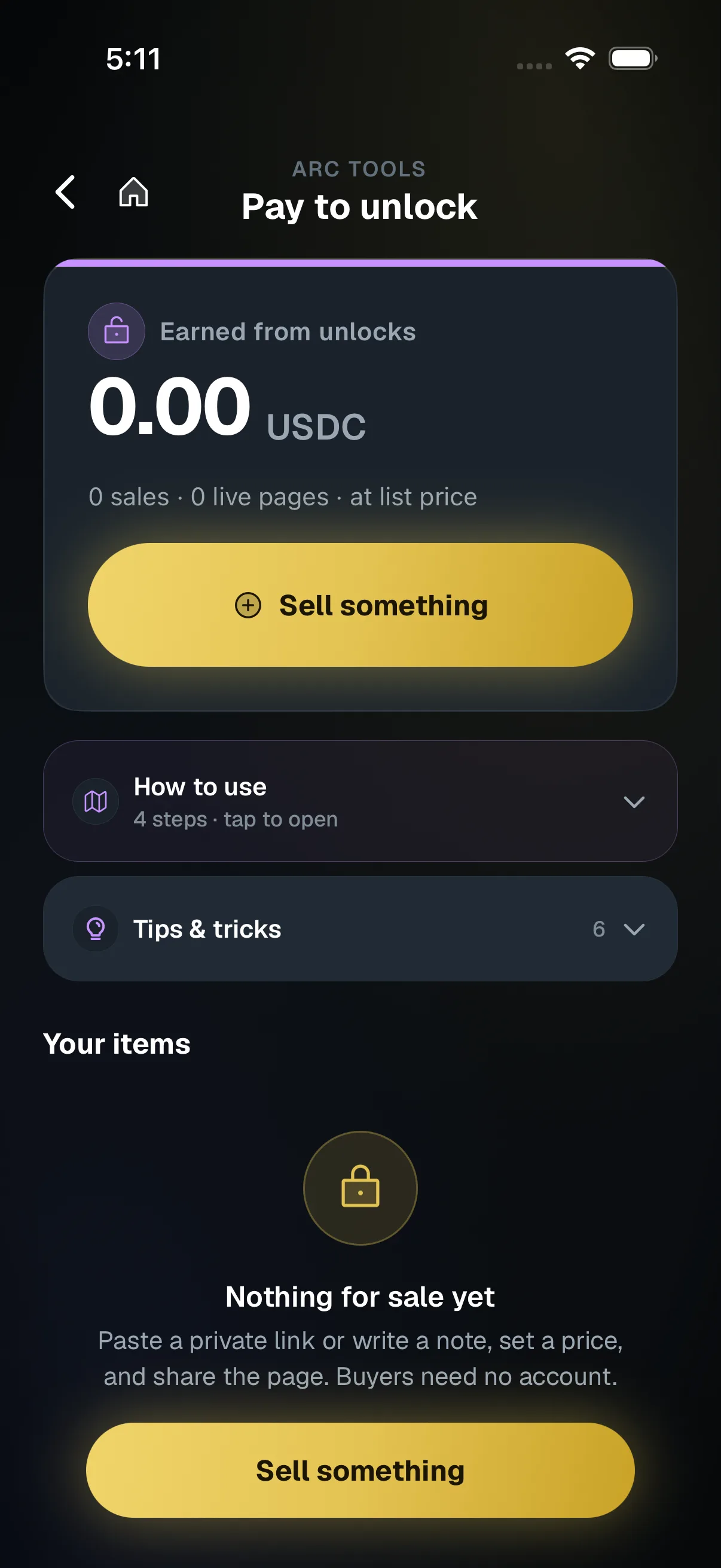
If you sell digital work such as a template or a private link, Pay to unlock lets a creator sell a private link or text note on a web page. The buyer needs no SpendTheBits account, proves an email with a six-digit code and pays in USDC. There is no SpendTheBits fee on these sales today. Refunds are never automatic: you send one back yourself if you choose to.
Be clear about what is not here. Invoices, autopay and money streams are not available in SpendTheBits, so nothing will bill a client or pay you on a schedule for you. Because the wallet is fully non-custodial, the keys stay on your device and the backend cannot move or freeze your funds. For the wider picture, see our guide to self-custody and the use case for freelancers.
In the app · 3 steps
Get paid by a client in USDC in SpendTheBits
Three ways to get paid, and one place to keep the records.
Show a checkout for the amount
For a call or an in-person job, Checkout shows a QR for an exact amount and flips to Paid.
Sell a deliverable
Pay to unlock sells a file or note on a page your client pays on, with no account needed.
Keep the record
x402 Books and the tax export keep the history your accountant needs.
Hold your own keys, keep the yield, skip the middleman.
SpendTheBits is a fully non-custodial wallet for 13 chains, free on iOS and Android.